

Meta Ads Guide (2026): Facebook and Instagram Ads From Start to Finish
Updated: October 28, 2026 · 6 min read
Meta ads are paid ads shown on Facebook, Instagram, Messenger and the Audience Network. On Google, people search; on Meta, they scroll. That's why on Meta the creative does most of the work: the right image or video finds the right people on its own. This guide covers every step from account setup to scaling, with slides you can save and come back to.
Meta ads at a glance
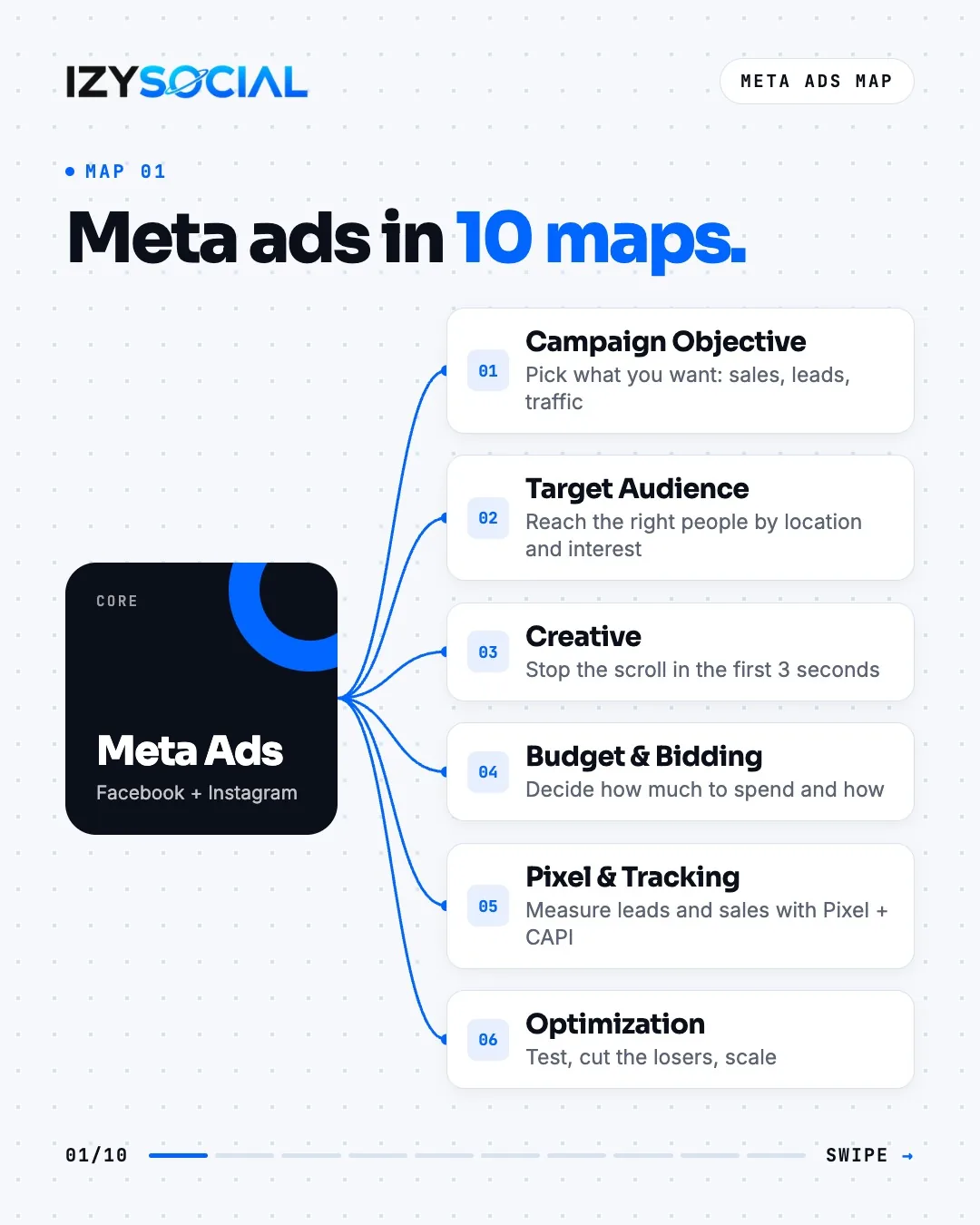
A successful Meta campaign has six parts: objective, audience, creative, budget and bidding, tracking, and optimization. If one is missing, the results stay weak no matter how good the rest is.
What are Meta ads, and how do they differ from Google Ads?
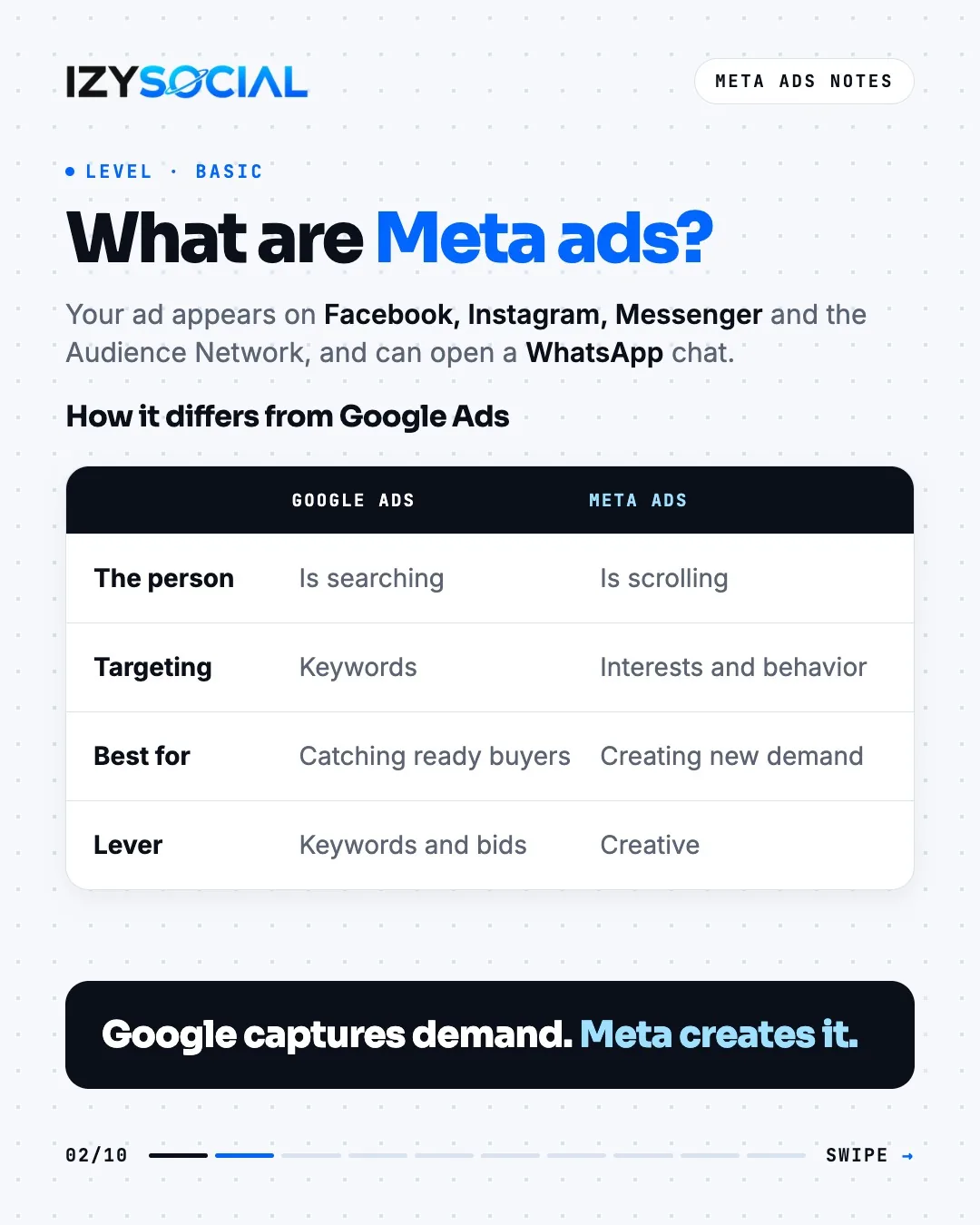
Google Ads catches people at the moment they search, and targeting starts with keywords. On Meta, people aren't searching, they're scrolling. Targeting is based on interests and behavior, and the biggest lever is the ad itself. In short: Google captures existing demand, Meta creates new demand.
Before you spend: account setup in 6 steps
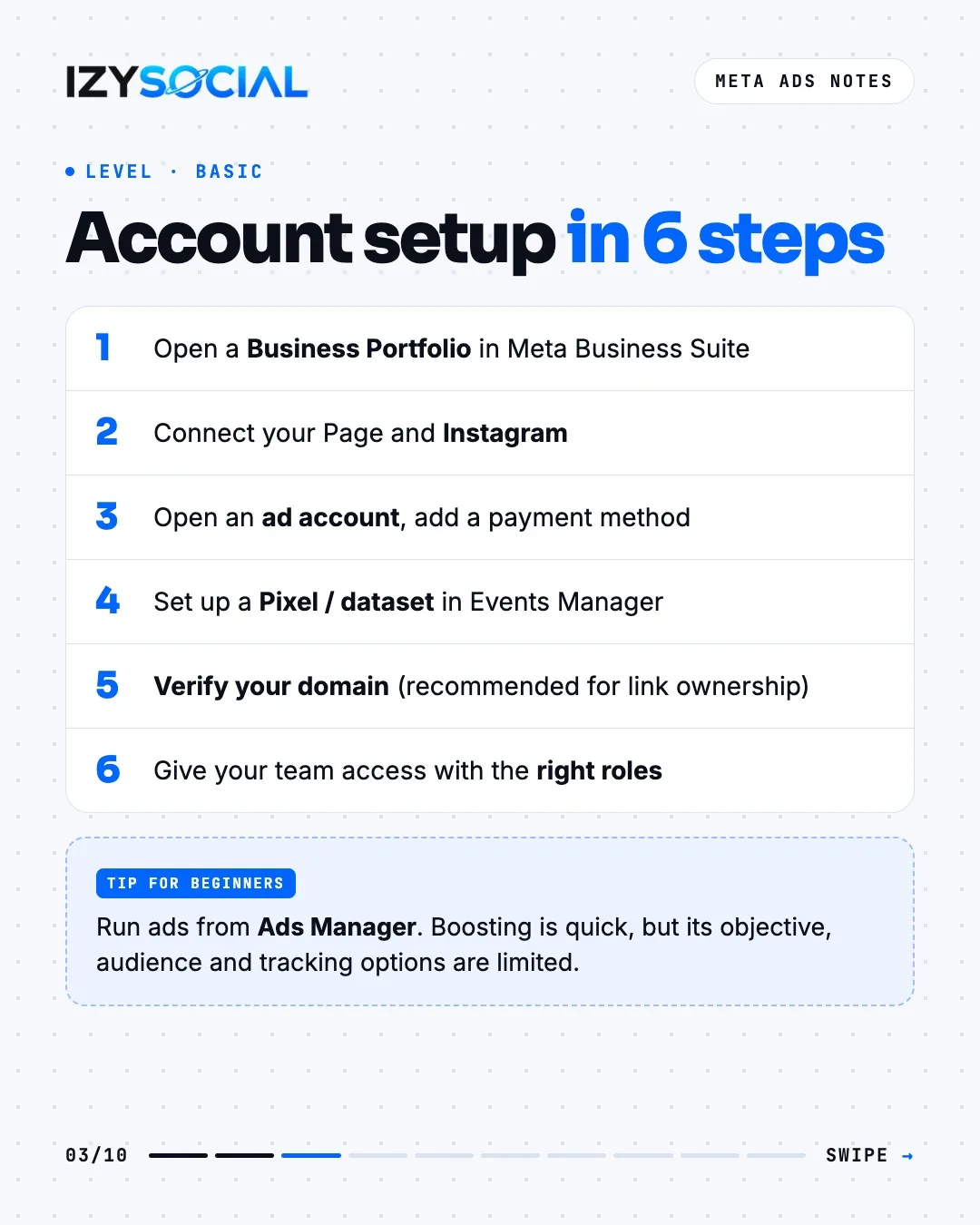
- 1Open a Business Portfolio in Meta Business Suite.
- 2Connect your Facebook Page and Instagram account to it.
- 3Open an ad account and set the currency, time zone and payment method. The currency can't be changed later.
- 4Set up a Pixel (dataset) in Events Manager and add it to your site.
- 5Verify your domain. It's not required for tracking, but it's recommended so you control link ownership and link previews in ads.
- 6Give your team access with the right roles instead of tying the ad account to personal profiles.
Run ads from Ads Manager. The Boost button on a post is quick, but its objective, audience and tracking options are limited. We cover boosting step by step in how to boost a post on Instagram.
Campaign structure and the 6 objectives
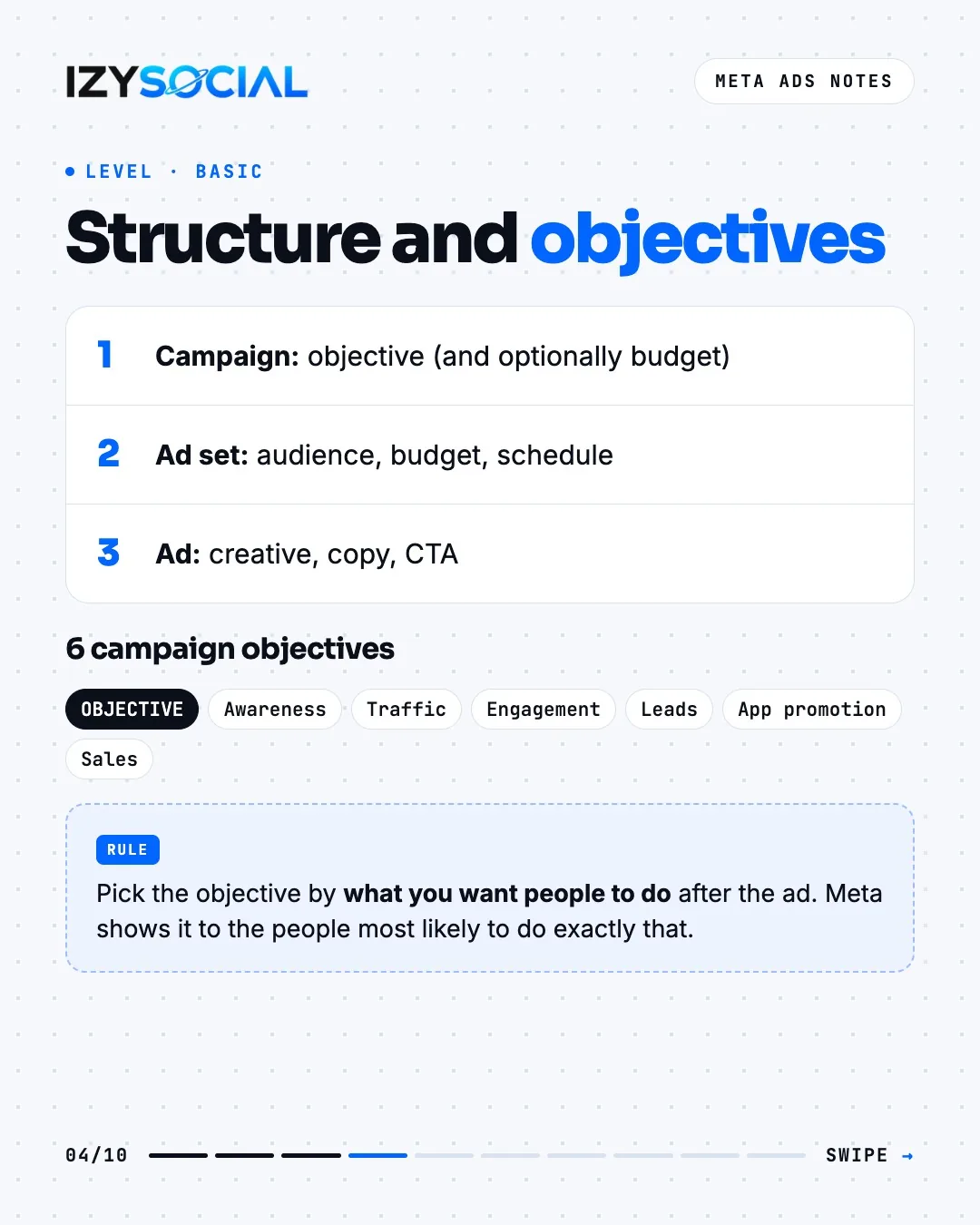
Every Meta ad sits inside a three-layer structure: the campaign sets the objective (and optionally the budget), the ad set sets the audience, budget and schedule, and the ad holds the creative, copy and call-to-action button.
There are six objectives: Awareness, Traffic, Engagement, Leads, App promotion and Sales. Pick the one that matches what you want people to do after seeing the ad; Meta shows it to the people most likely to do exactly that. If you collect leads by form or WhatsApp, start with Leads; if you sell on your site, start with Sales.
A few large ad sets learn better than many small ones. Give campaigns clear names (e.g. lead_izmir_reels_oct) and change only one variable per A/B test.
Audiences: Advantage+ and the rest
Worth knowing: with Advantage+ audience on, the age maximum and interests work as suggestions, not hard limits; Meta can go beyond them. The hard limits are location, language, minimum age and exclusions.
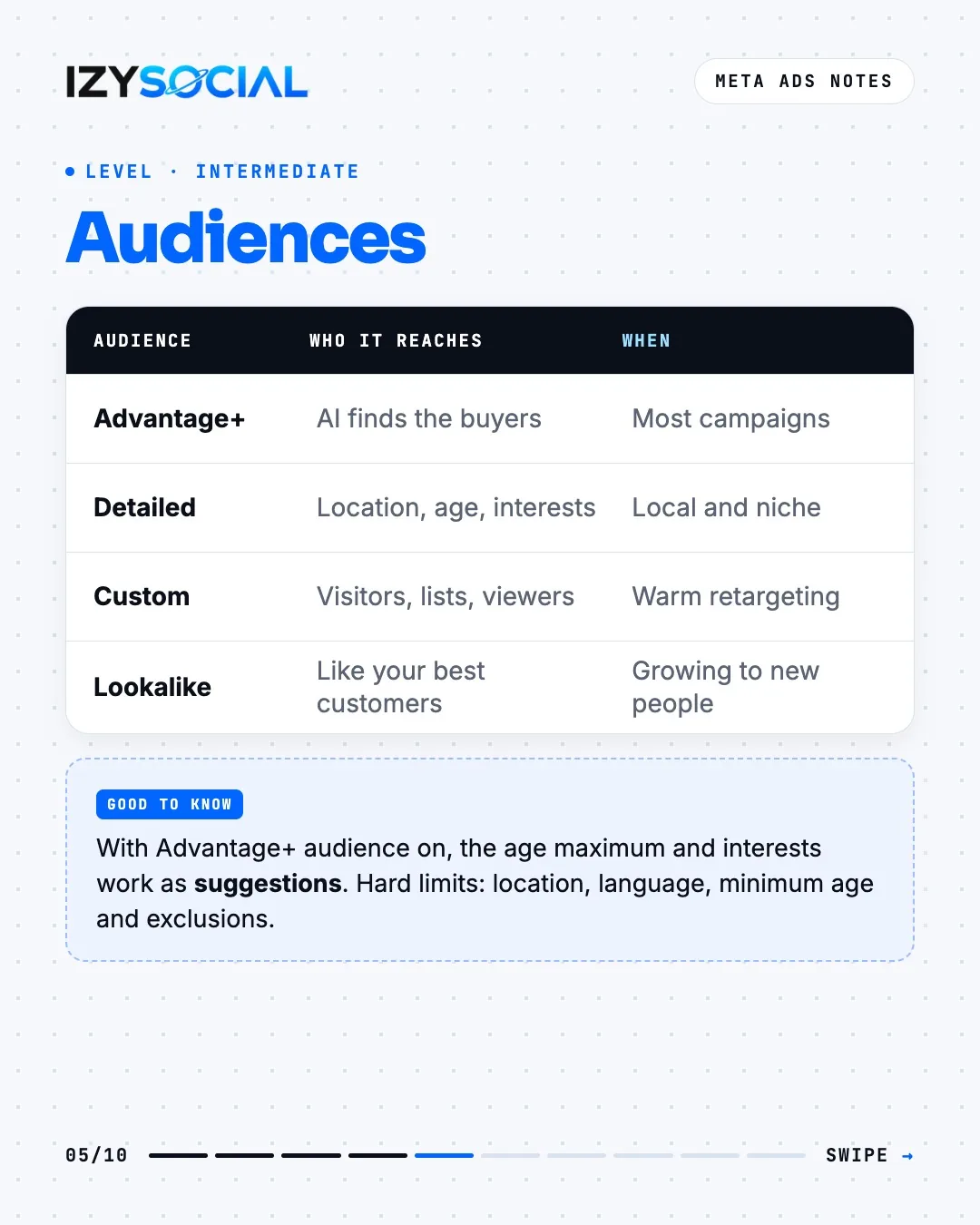
- Advantage+ audience: Meta's AI finds the buyers. A good starting point for most campaigns.
- Location and demographics: city or radius, age and language. For local businesses, location matters most.
- Custom audience: site visitors, customer lists, video viewers. Use it to come back to warm audiences with a second offer.
- Lookalike audience: new people similar to your best customers.
- Exclusions: leave out existing customers or recent buyers.
Ad formats and sizes
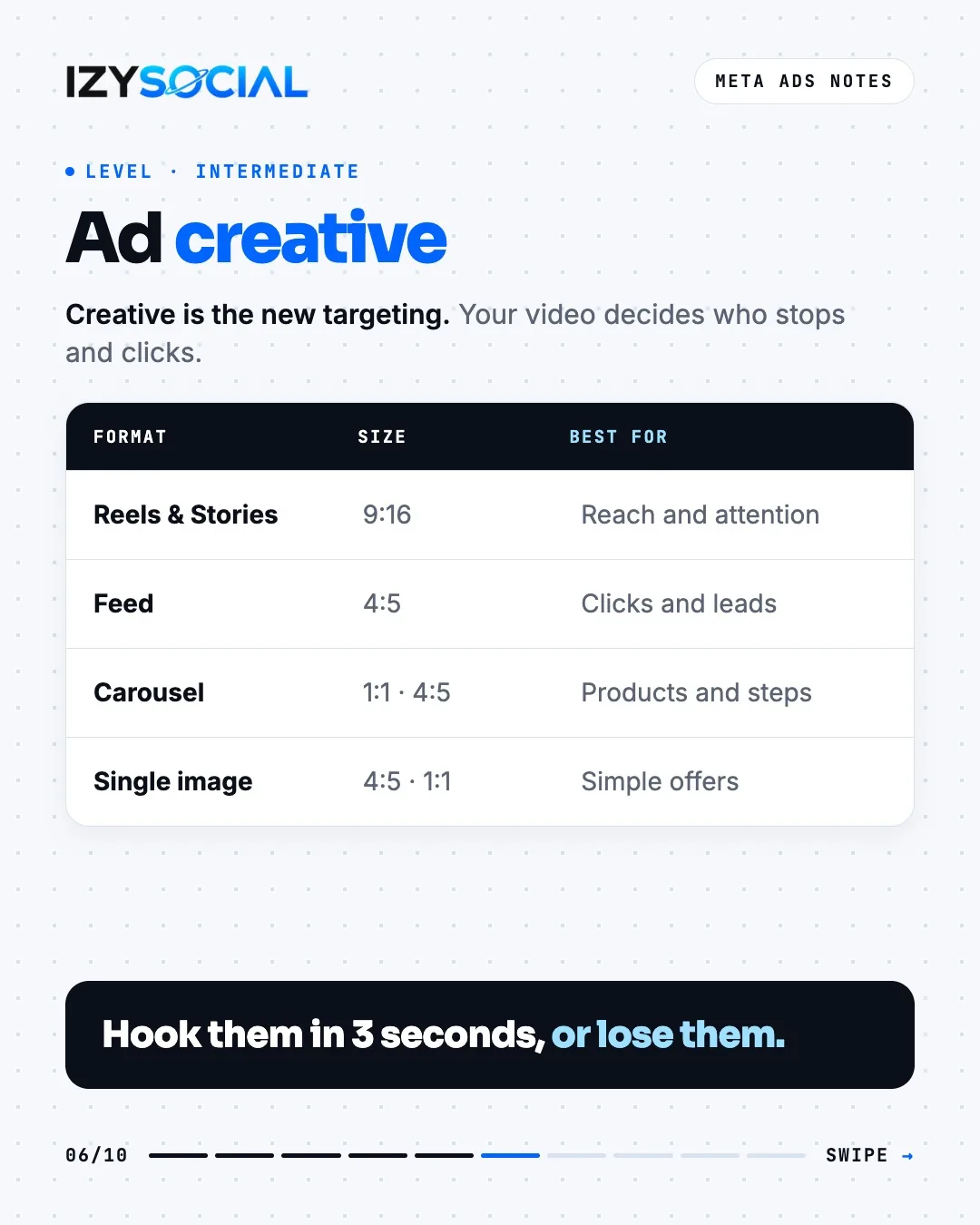
- Reels and Stories: 9:16 vertical, for reach and attention.
- Feed: 4:5 vertical video or image, for clicks and leads.
- Carousel: up to 10 cards, to show products, steps or features in order.
- Single image: a strong visual and a clear offer; the easiest format to test quickly.
Creative: the algorithm reads your ad
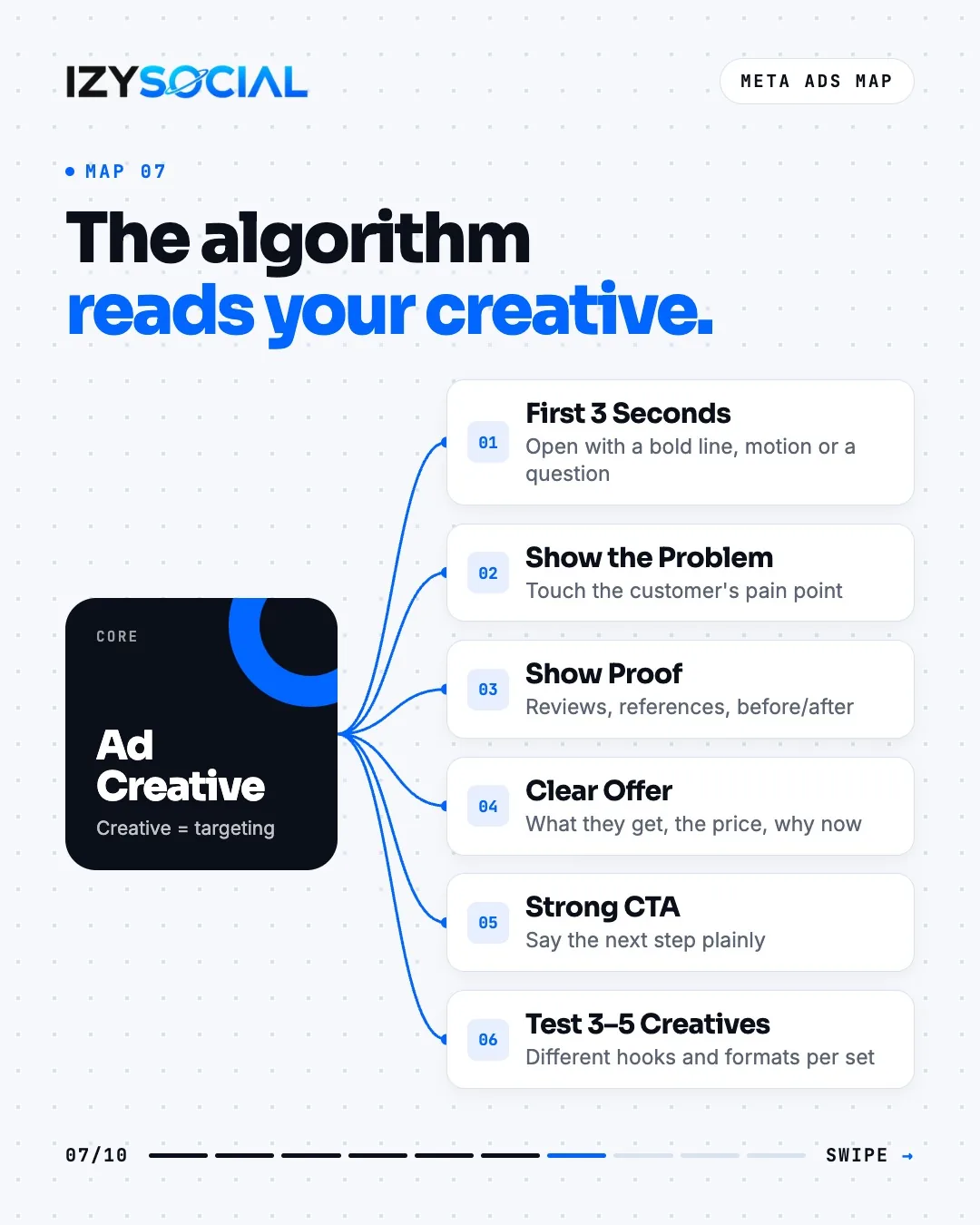
On Meta, much of the targeting is now done by the creative. Grab attention in the first three seconds with a bold line, motion or a question; show the customer's problem; offer proof such as reviews, references or before/after; and say clearly what they get, the price and why now. Test 3–5 creatives with different hooks in every ad set.
Lead form ads or WhatsApp ads?
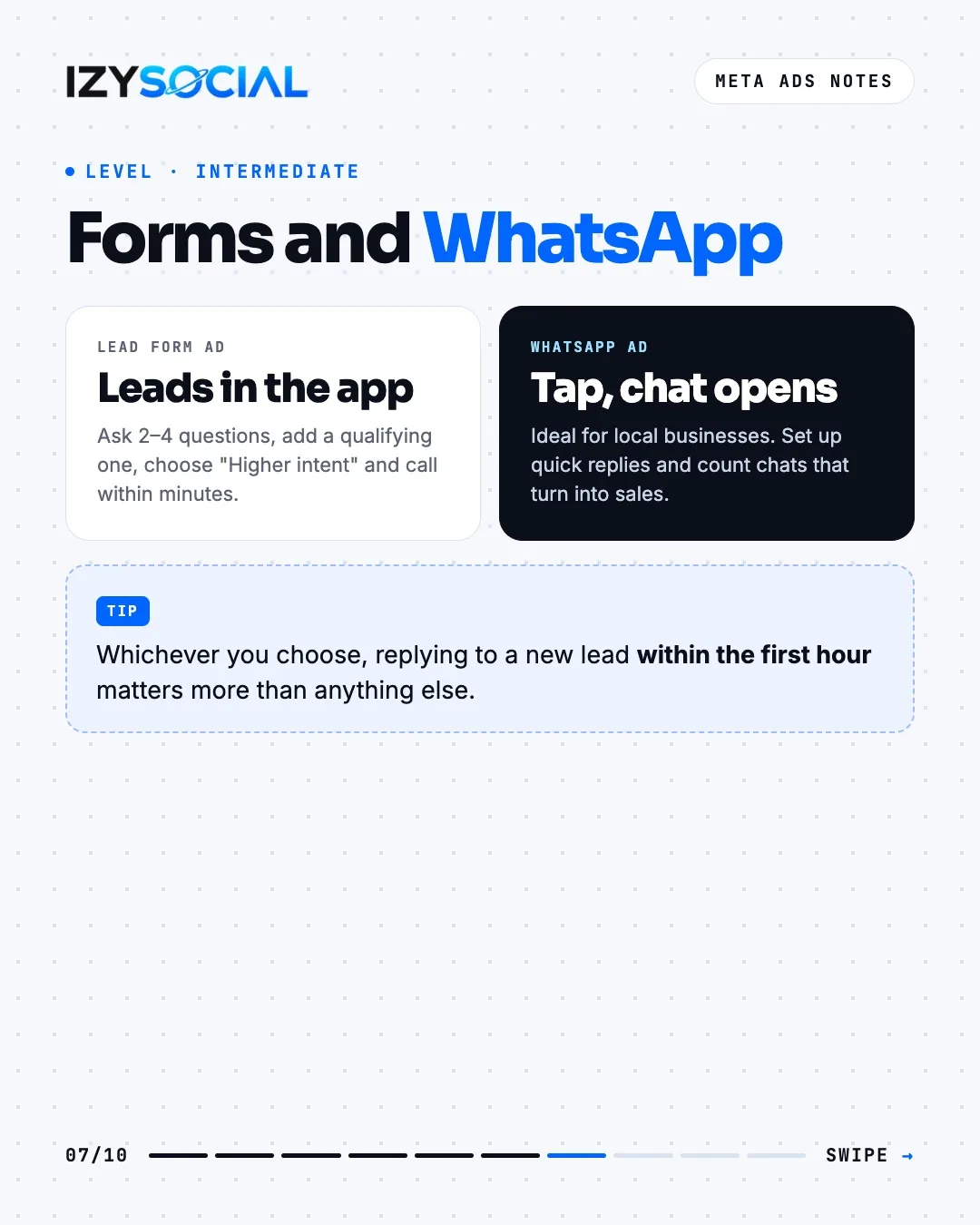
A lead form ad collects details in the app without sending people to your site. Two to four questions are enough; add one qualifying question and choose the "Higher intent" form type. A click-to-WhatsApp ad opens a chat directly and works very well for local businesses. Whichever you choose, replying to a new lead within the first hour matters more than anything else.
Budget, bidding and the learning phase
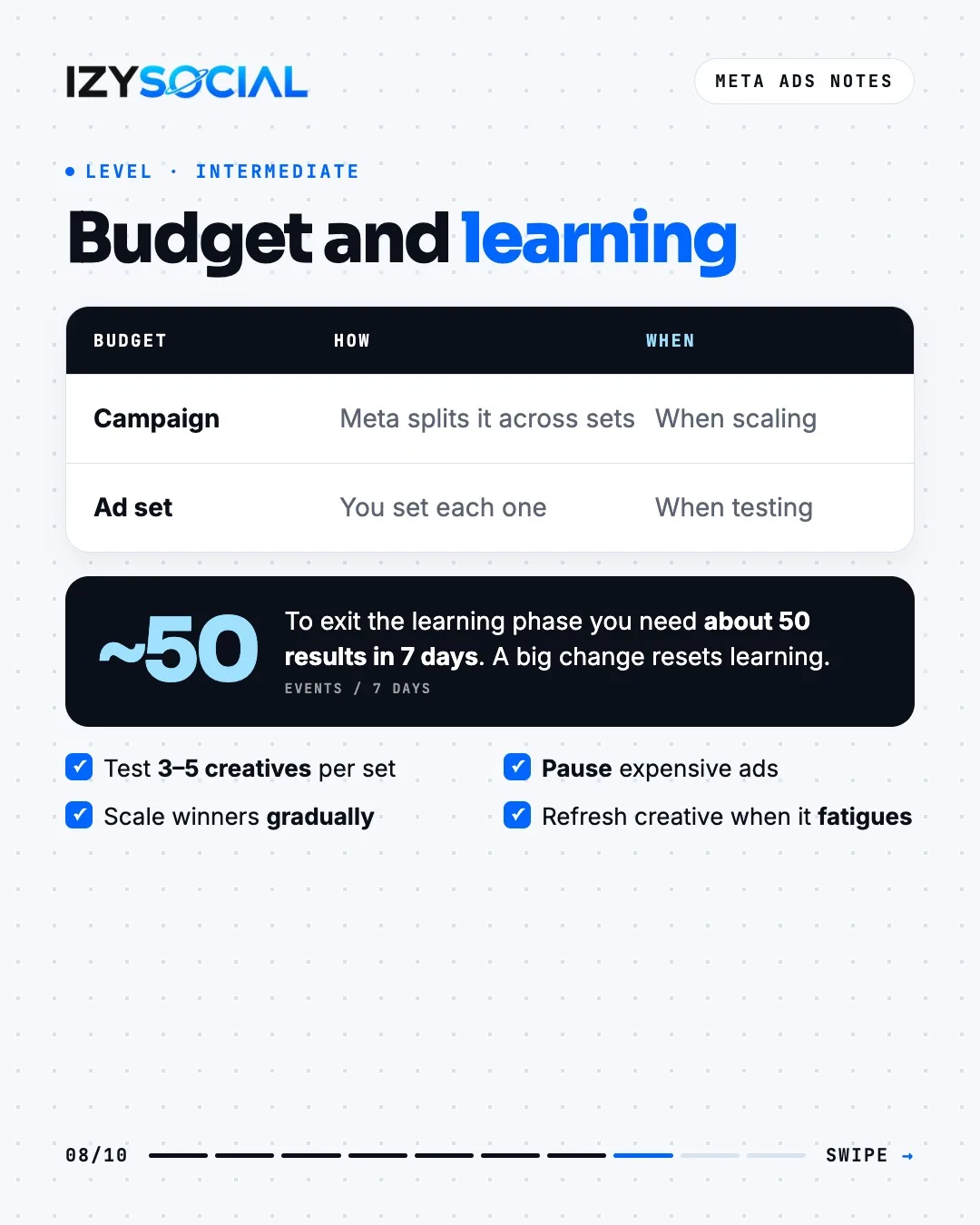
With a campaign budget, Meta splits the money across ad sets itself, which works well when scaling. An ad set budget lets you manage each set separately and suits testing.
A new ad set starts in the learning phase. According to Meta, it needs about 50 results in 7 days to exit. Big budget changes, or changing the objective or creative, restart learning. Pause expensive ads and raise the budget on winners in small steps every few days.
Measuring with Pixel and Conversions API
The Meta Pixel tracks actions on your site from the browser. The Conversions API (CAPI) sends the same events from your server, so fewer conversions are lost to ad blockers and browser restrictions. You get the best results using both.
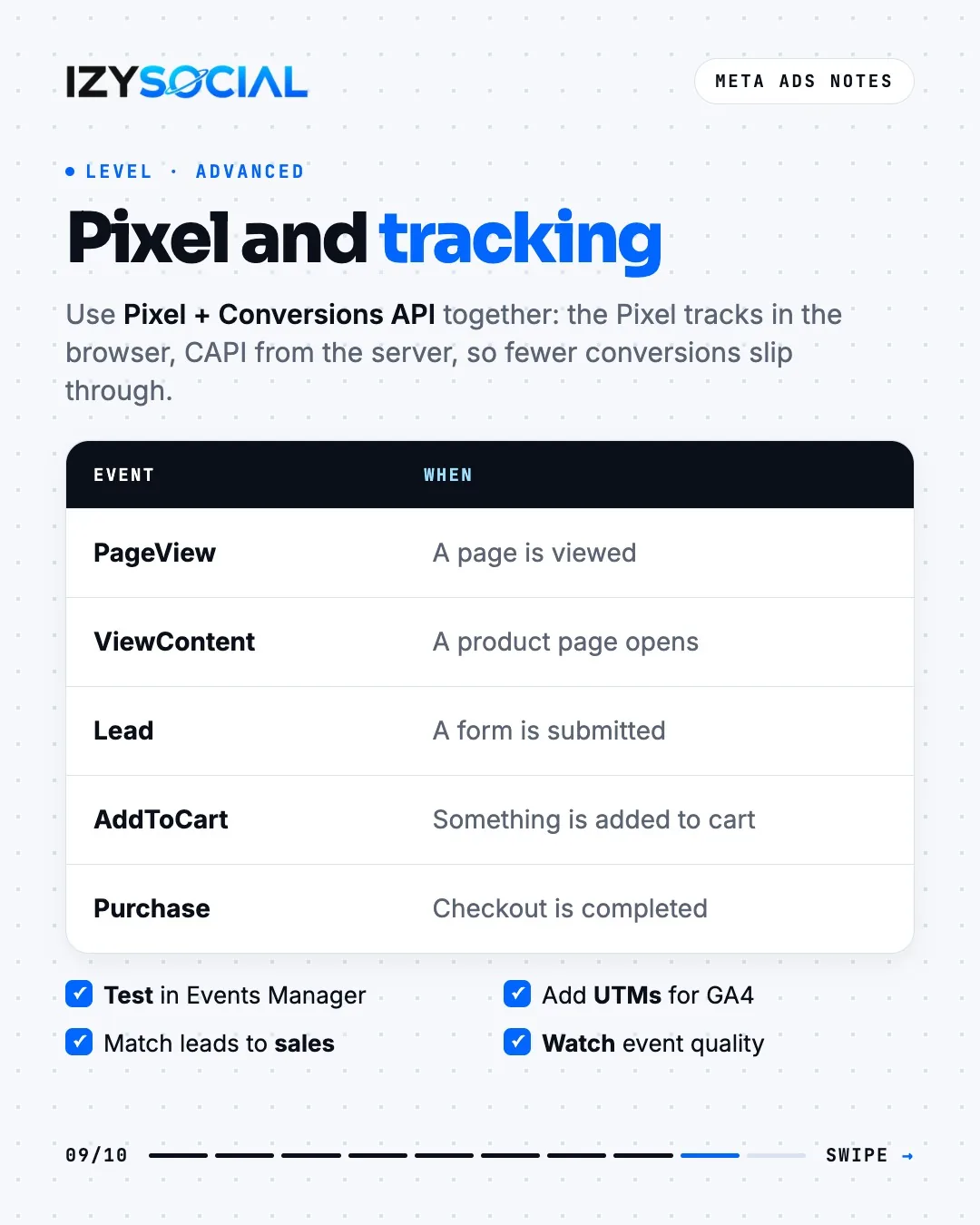
- PageView: a page is viewed
- ViewContent: a product page opens
- Lead: a form is submitted
- AddToCart: a product is added to the cart
- Purchase: checkout is completed
Test events in Events Manager, add UTM tags to ad links for Google Analytics, and match leads to sales. That's the only way to see which ad actually brings customers.
What changed in 2026: Story and Reels placement choice
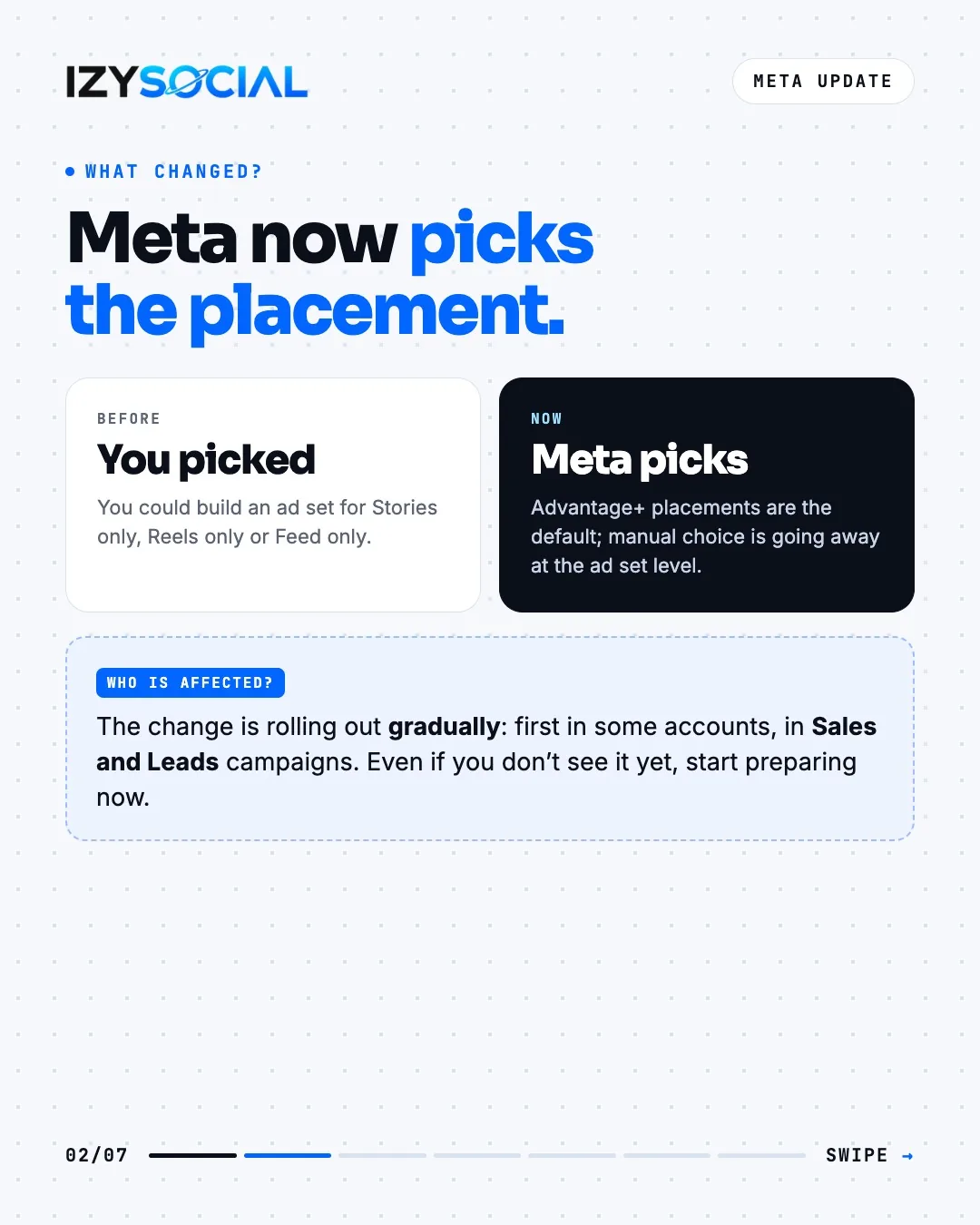
Meta is leaving more and more placement decisions to Advantage+ placements. You used to be able to build an ad set for Stories only, Reels only or Feed only. Since August 2026, some accounts, especially in Sales and Leads campaigns, are losing manual placement choice at the ad set level. The change is rolling out gradually; even if you don't see it yet, it's worth preparing now.
Control isn't gone, it moved: account-level placement controls (Ad Settings > Account Controls), block lists and inventory filters still apply.
Using Value Rules to bid less on placements you don't want
A rule doesn't switch a placement off; it only lowers your bid there, so the ad shows there less and at a higher cost. Only the first matching rule in a set applies. The best long-term fix is creative made for each placement: 9:16 for Reels and Stories, 4:5 for Feed. You can track placement results in the Breakdown tab.
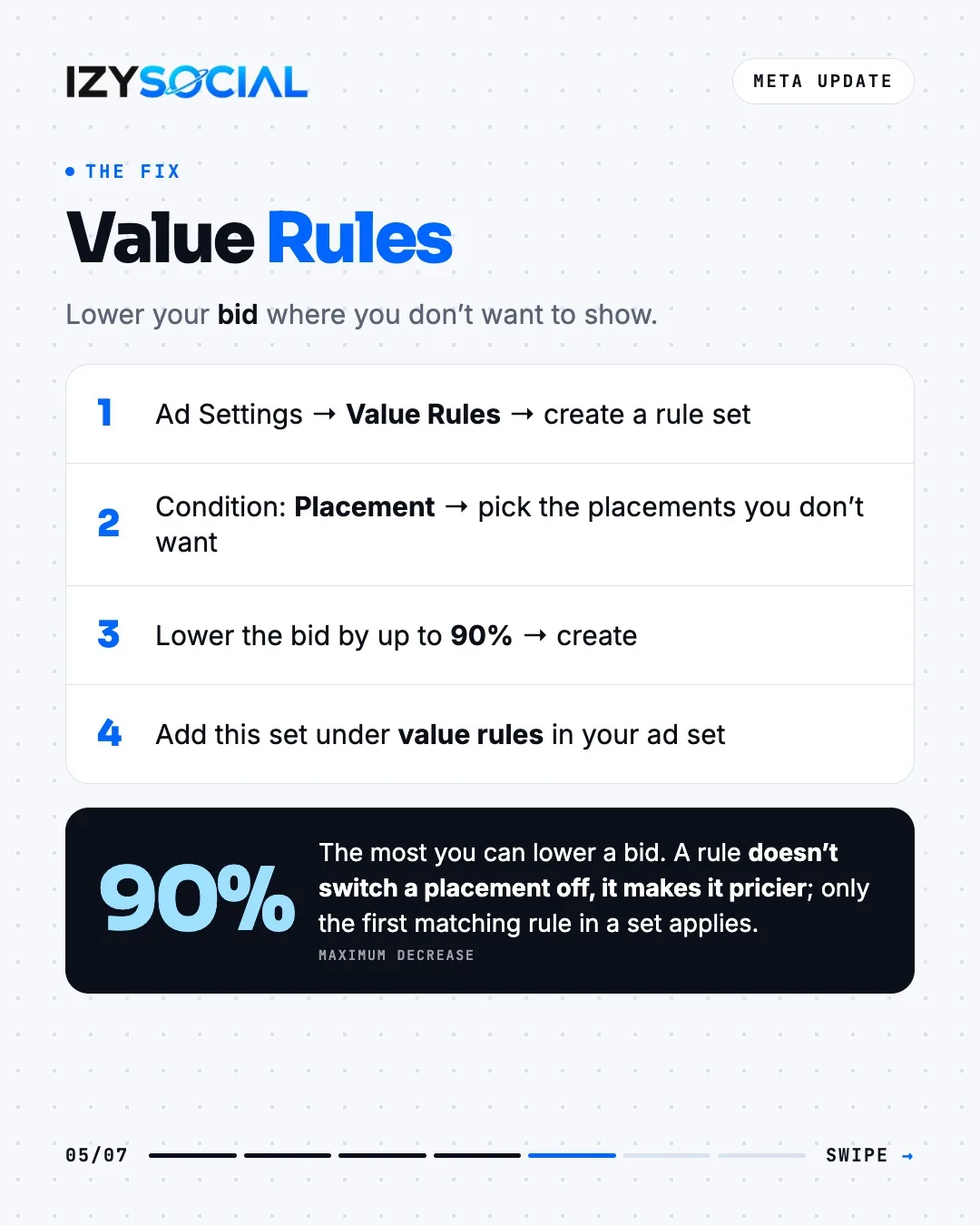
- 1Open Value Rules in Ad Settings and create a rule set.
- 2Choose Placement as the condition and select the placements you don't want.
- 3Lower the bid by up to 90% and save the rule.
- 4In your ad set, add this set under value rules.
Metrics: what do the numbers say?
Example: $5,000 spend, 100,000 impressions, 40,000 reach, 1,500 clicks, 100 leads and $20,000 revenue.
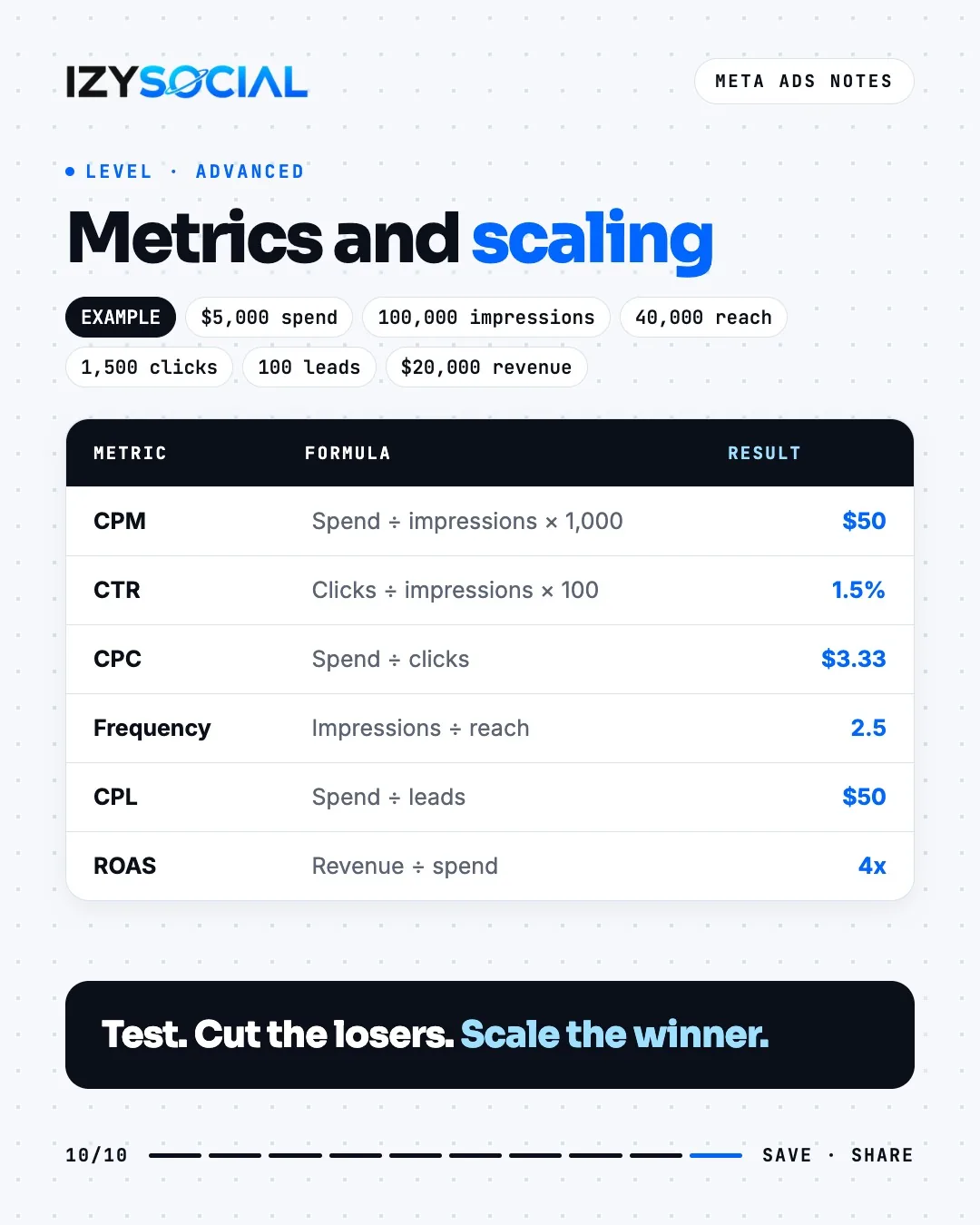
- CPM (cost per thousand impressions) = spend ÷ impressions × 1,000 = $50
- CTR (click-through rate) = clicks ÷ impressions × 100 = 1.5%
- CPC (cost per click) = spend ÷ clicks = $3.33
- Frequency = impressions ÷ reach = 2.5
- CPL (cost per lead) = spend ÷ leads = $50
- ROAS (return on ad spend) = revenue ÷ spend = 4x
As frequency climbs, the same people see the ad again and again and results start to drop. That's the sign it's time to refresh the creative.
Frequently asked questions
What's the minimum budget for Meta ads?
Meta's exact minimum depends on your account currency and objective. The real yardstick is a budget that can get about 50 results a week, so the ad set can exit the learning phase.
What's the difference between Boost and Ads Manager?
A boosted post is still a paid ad, but its objective, audience, placement and tracking options are limited. Ads Manager offers every objective, lead form and WhatsApp ads, and detailed measurement.
Is domain verification required?
It hasn't been required for event tracking since 2023. It's still recommended so you control link ownership and link previews in ads.
Can I still choose Stories and Reels placements?
It depends on your account and objective. The change is rolling out gradually; where the choice is gone, you can use account-level placement controls and Value Rules.