

Google Ads Guide (2026): Search, YouTube and Maps Ads
Updated: October 28, 2026 · 4 min read
With Google Ads, your ad shows up the moment someone searches for what you do. From search results to YouTube, Gmail and Maps, you can appear across Google. This guide covers the core parts of Google Ads from setup to scaling, with slides you can save and come back to.
What is Google Ads, and where do ads appear?
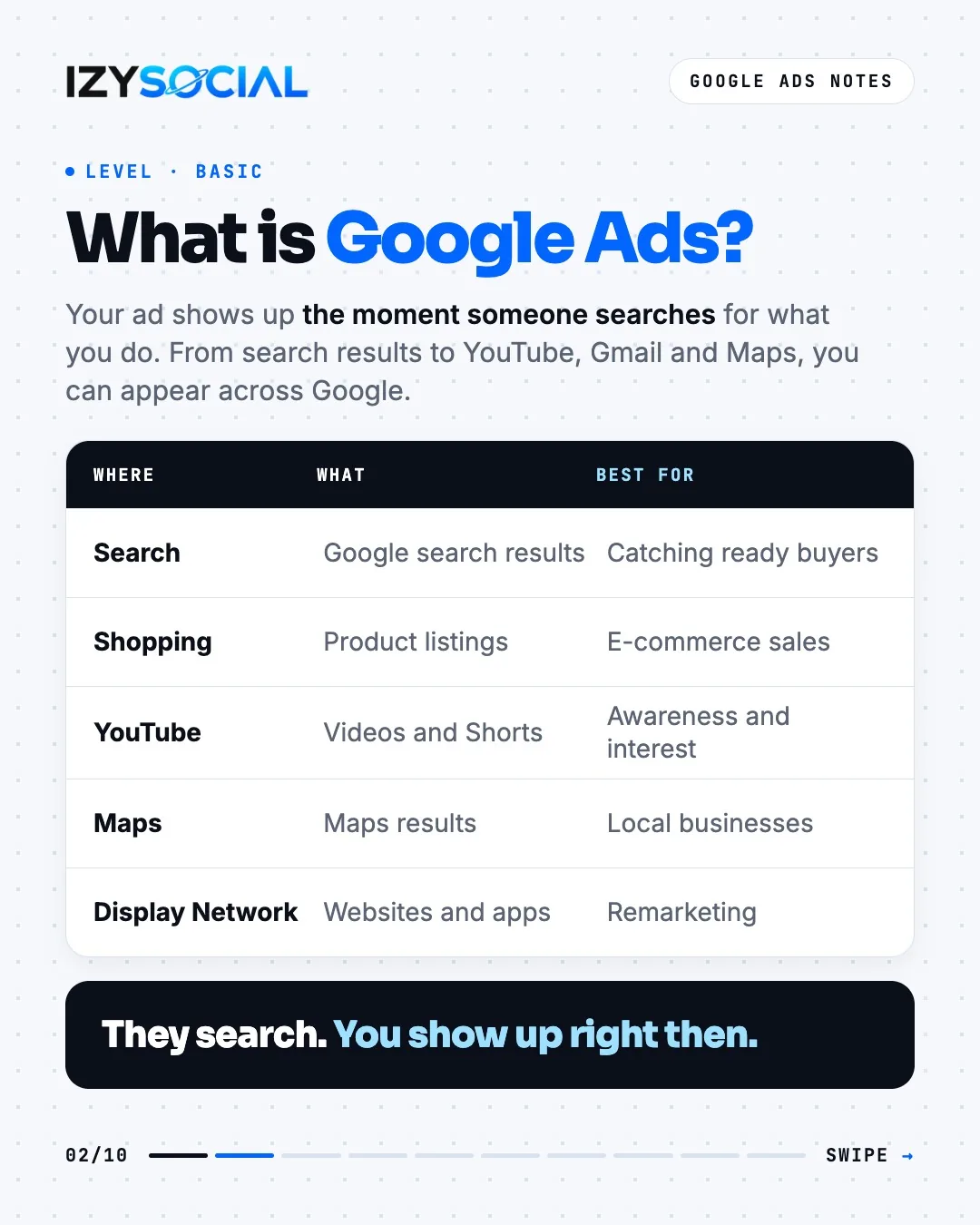
- Search: Google search results. For catching ready buyers.
- Shopping: product listings. For e-commerce sales.
- YouTube: videos and Shorts. For awareness and interest.
- Maps: Maps results. For local businesses.
- Display Network: websites and apps. For remarketing.
Account setup in 6 steps
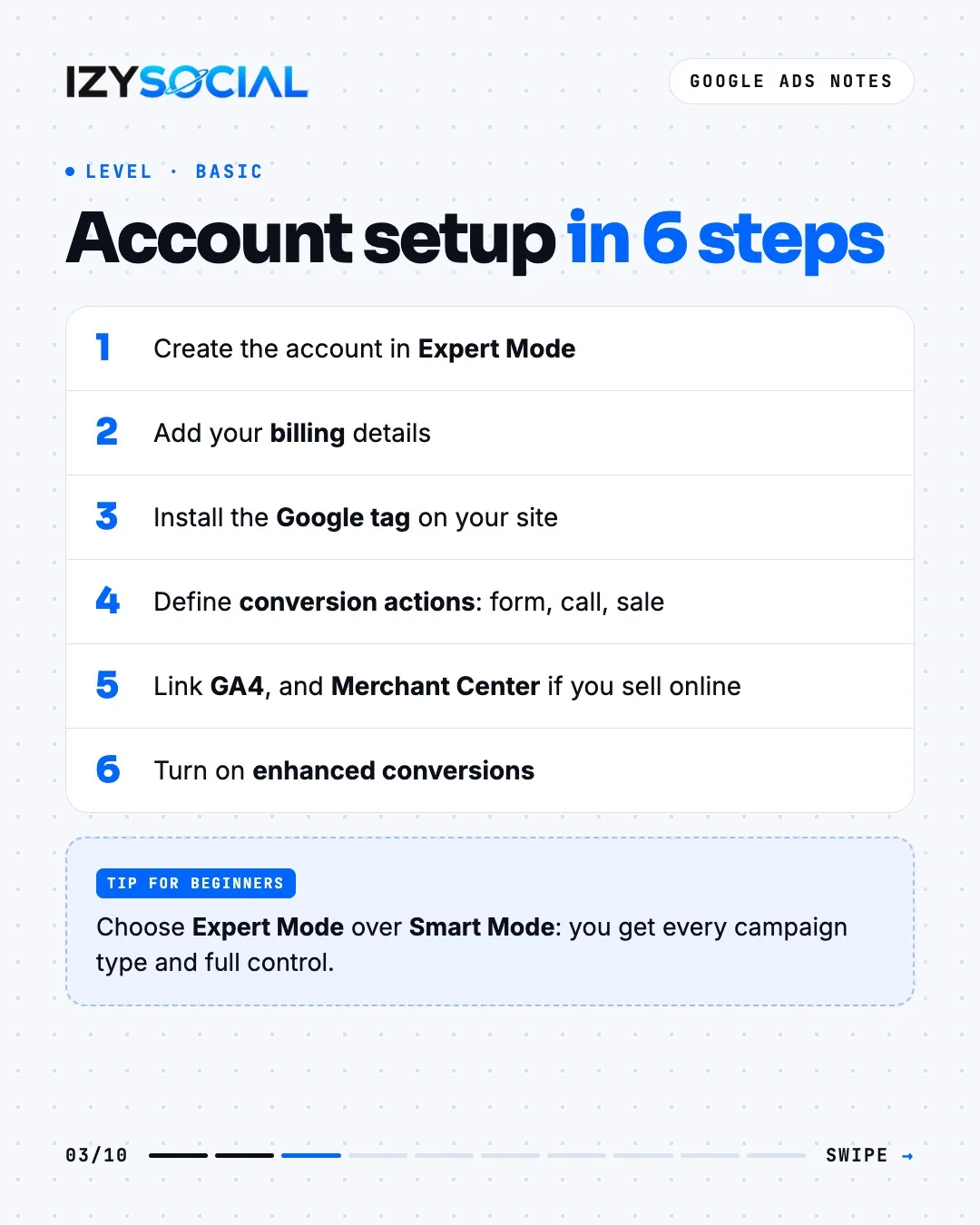
- 1Create the account in Expert Mode.
- 2Add your billing details.
- 3Install the Google tag on your site.
- 4Define conversion actions: forms, phone calls, sales.
- 5Link Google Analytics 4, and Merchant Center if you sell online.
- 6Turn on enhanced conversions.
Choose Expert Mode over Smart Mode during setup. Smart Mode only builds Smart campaigns; Expert Mode gives you every campaign type and full control.
Campaign types: which one to start with?
General rule: start with Search. Once conversion tracking works and data builds up, grow with Performance Max.
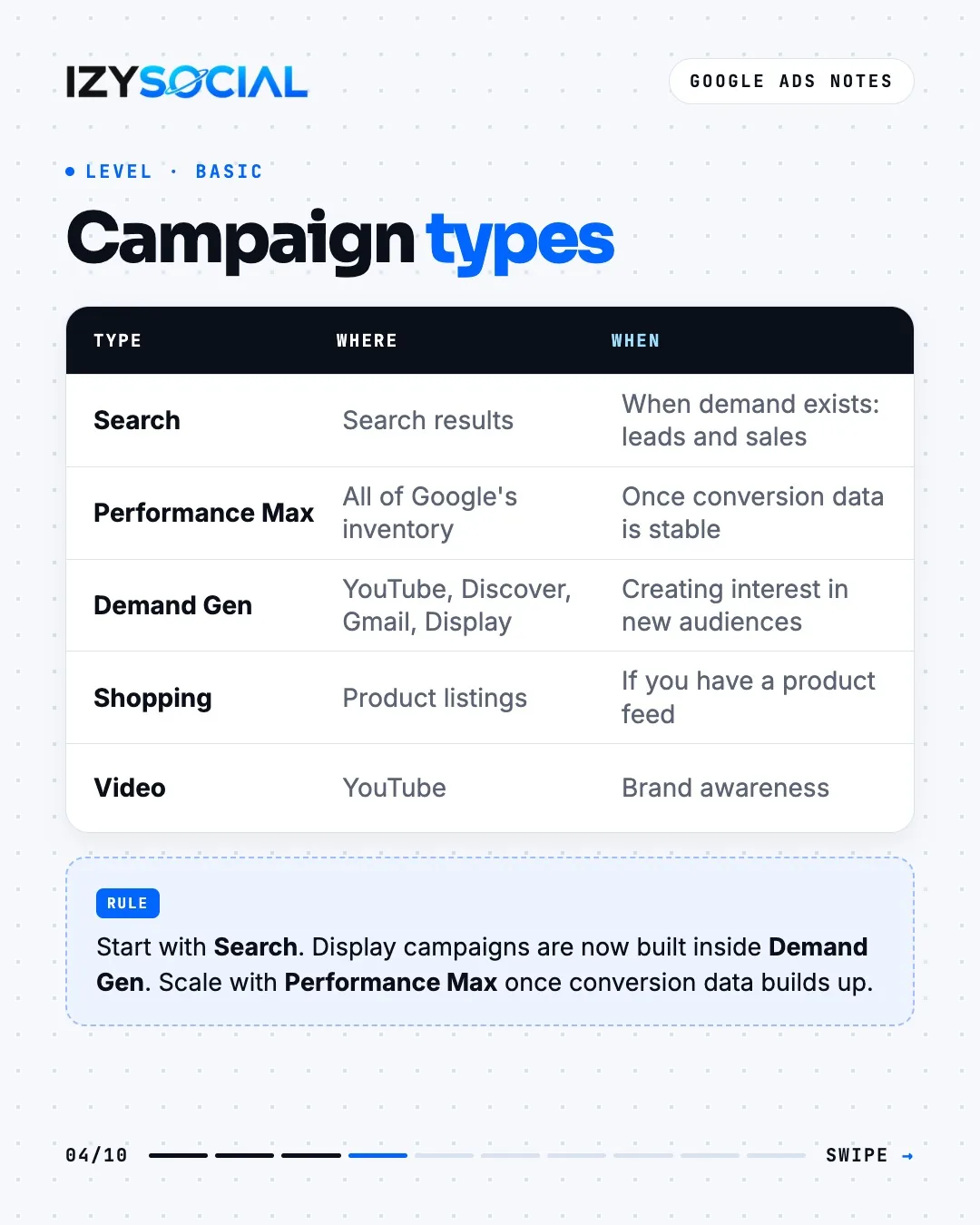
- Search: when demand exists; the most direct route to leads and sales.
- Performance Max: runs across all of Google's inventory; for growing once conversion data is stable.
- Demand Gen: YouTube, Discover, Gmail and the Display Network; for creating interest in new audiences. From 2026, Display campaigns are built inside this type.
- Shopping: if you have a product feed.
- Video: for brand awareness on YouTube.
Keyword match types
Negative keywords don't cover synonyms and variants, so add plurals and close variants separately. Review the search terms report weekly and count real results as conversions, not clicks.
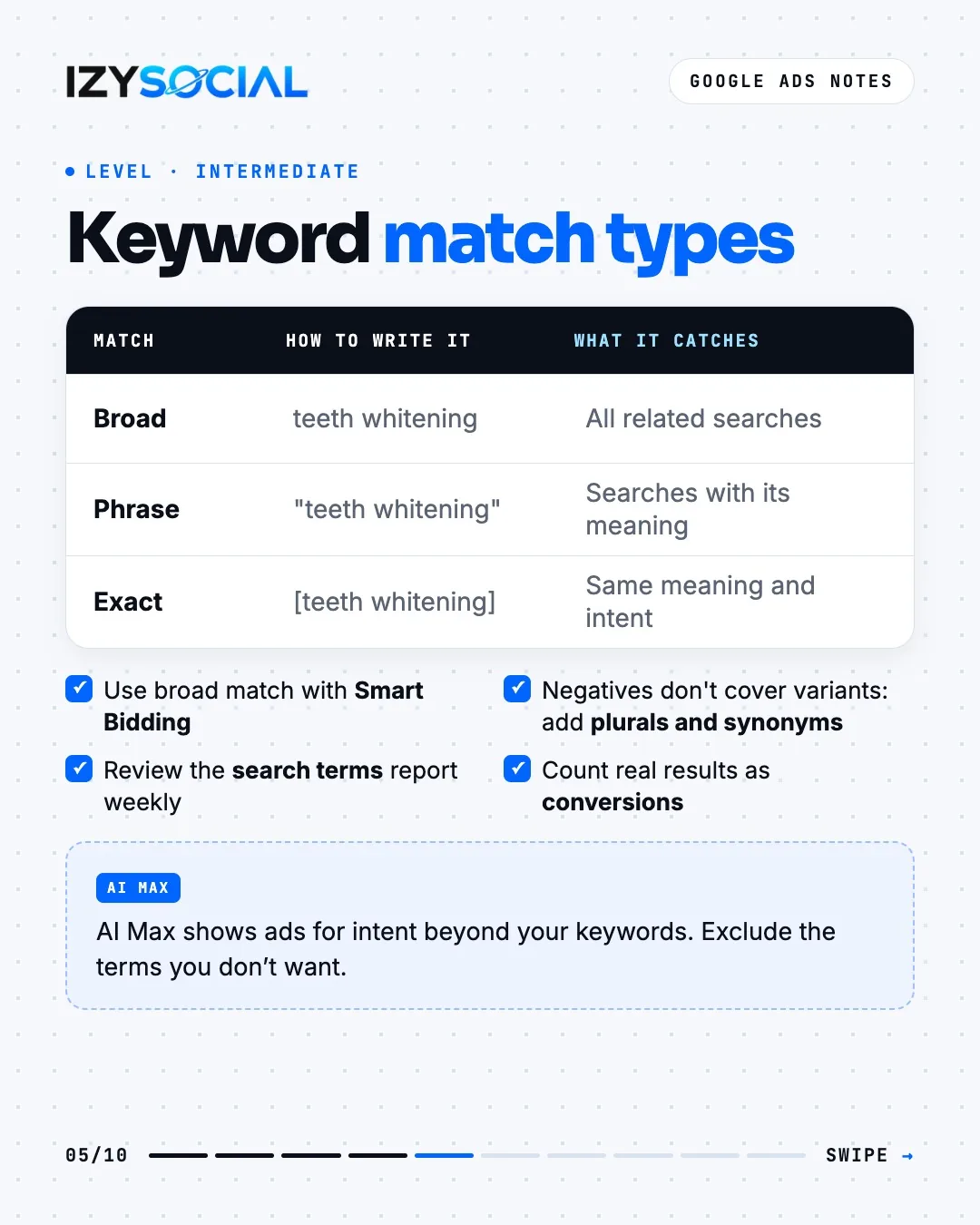
- Broad match (teeth whitening): catches all related searches. Use it with Smart Bidding.
- Phrase match ("teeth whitening"): catches searches that include its meaning.
- Exact match ([teeth whitening]): catches searches with the same meaning and intent.
AI Max in Search campaigns can show your ad for intent beyond your keywords. Remember to exclude competitor brands and terms you don't want.
Responsive search ads
A good headline set combines the search term ("Teeth Whitening Izmir"), an offer ("Free First Check-up"), proof and a clear action ("Book Now"). Only use a real number or a real review as proof.
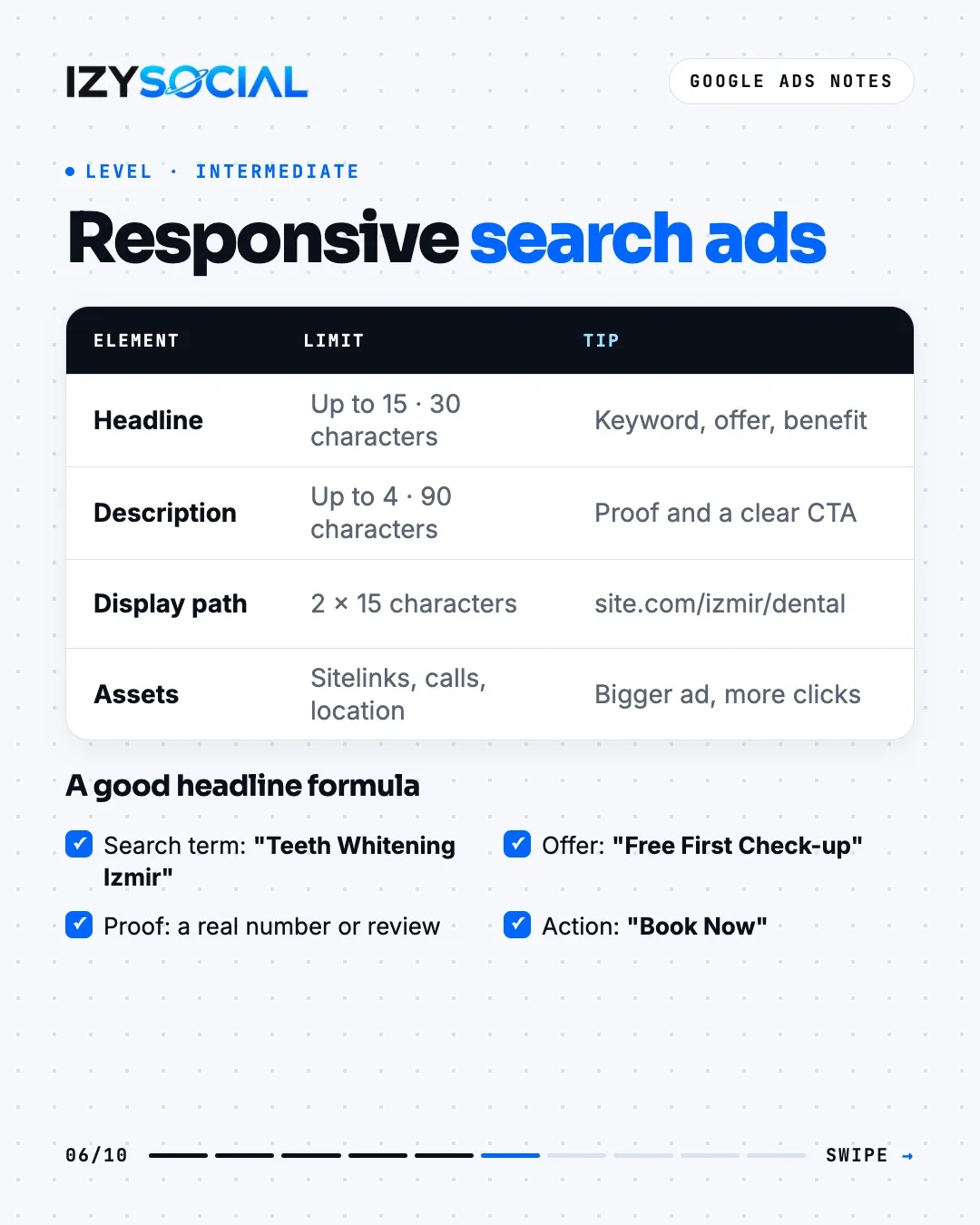
- Headlines: up to 15, each up to 30 characters.
- Descriptions: up to 4, each up to 90 characters.
- Display path: 2 fields, each up to 15 characters (e.g. site.com/izmir/dental).
- Assets: sitelinks, call and location assets make the ad bigger and easier to click.
Bidding strategies and the learning period
A new bid strategy starts in a "Learning" status. According to Google this lasts up to 7 days, while performance can take 1–2 conversion cycles to settle. Changing the strategy or making a big target change restarts learning.
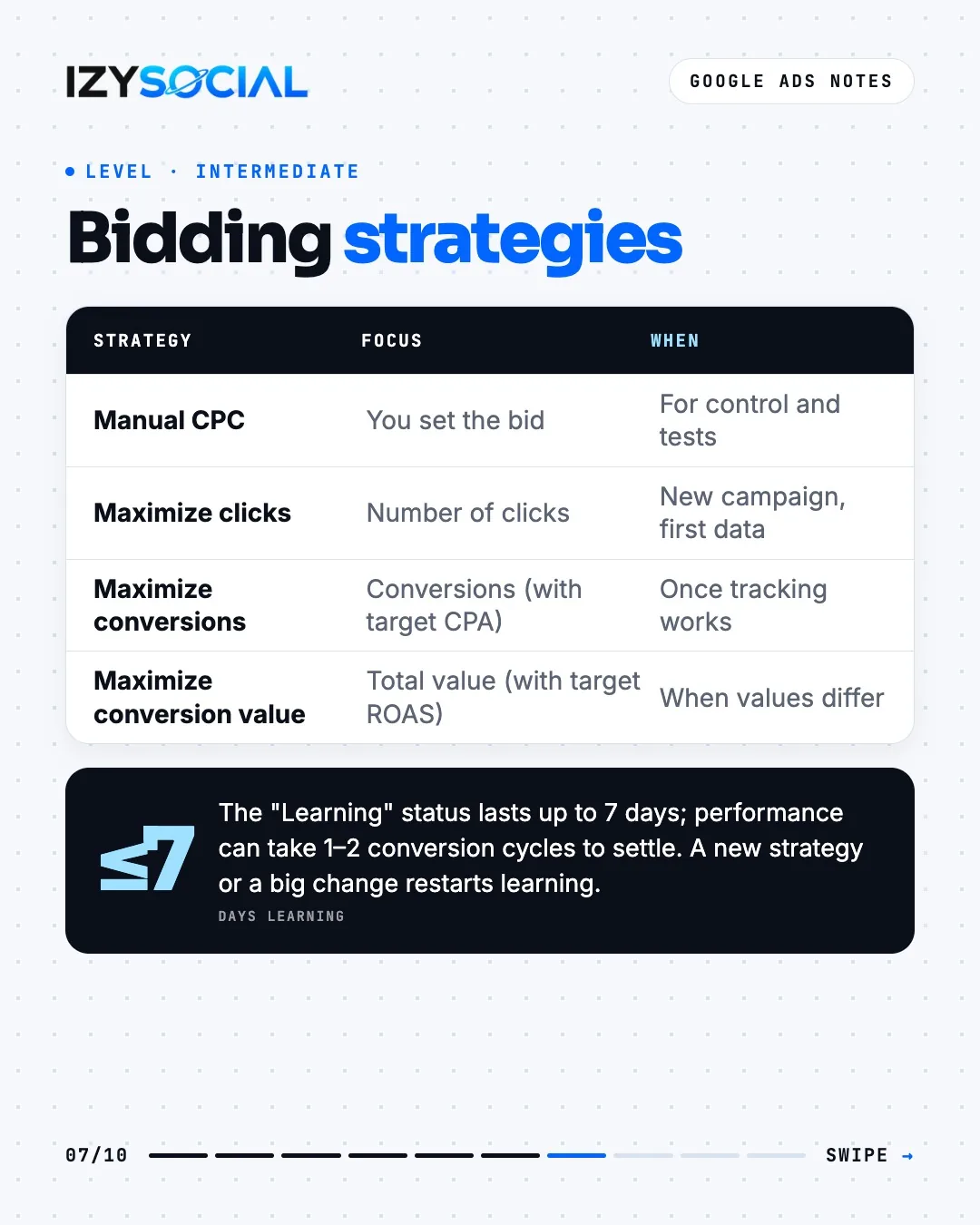
- Manual CPC: you set the bid; for control and tests.
- Maximize clicks: to gather first data in a new campaign.
- Maximize conversions: once conversion tracking works; optionally with a target CPA.
- Maximize conversion value: when sales have different values; optionally with a target ROAS.
Quality Score
Quality Score is a 1–10 rating given per keyword. It compares your ad and landing page with other advertisers on the same keyword over the last 90 days. It has three components: expected click-through rate (raised by a strong headline and clear offer), ad relevance (raised by tight, focused ad groups) and landing page experience (raised by a fast mobile page with the same message as the ad).
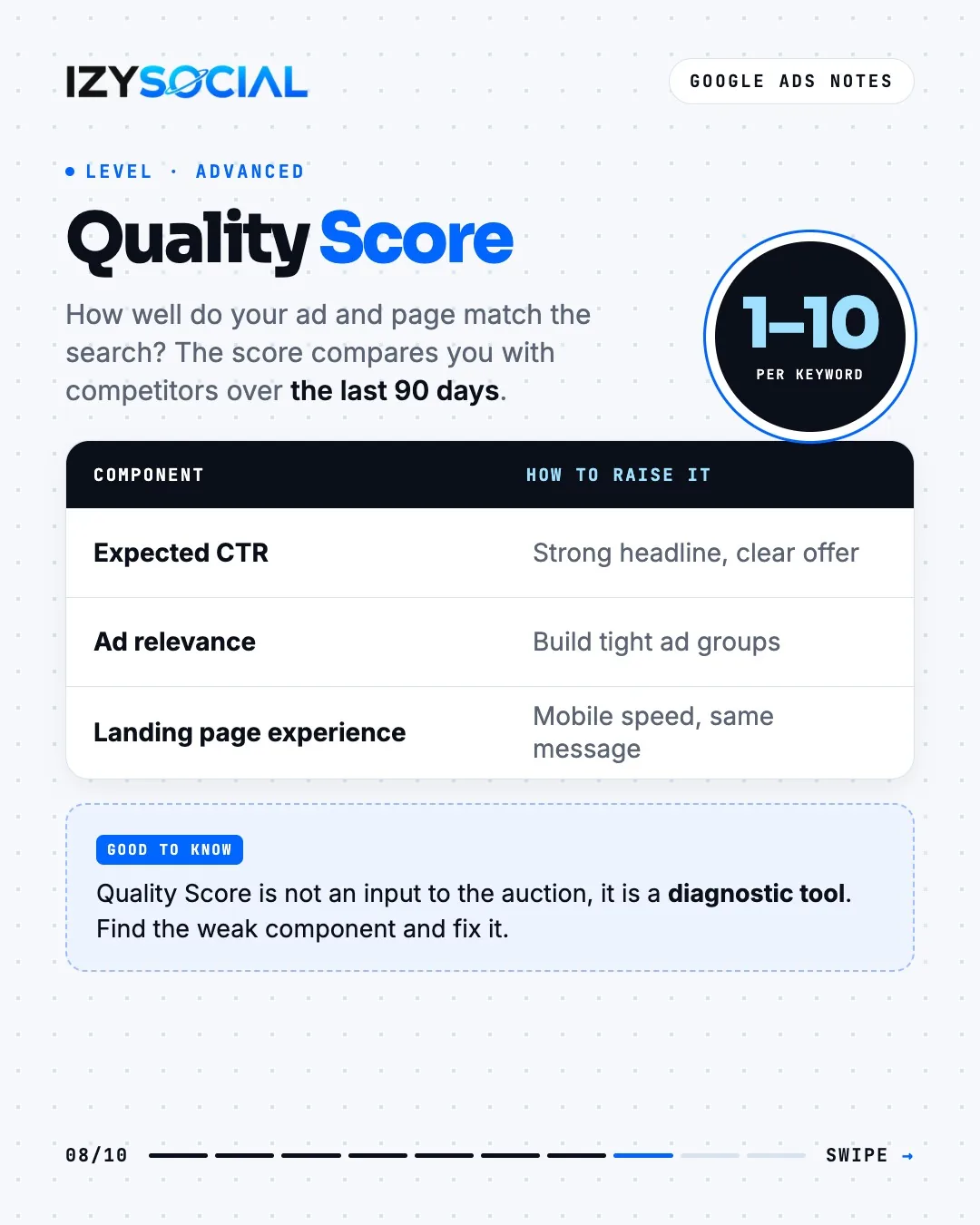
Quality Score is not a direct input to the auction; it's a diagnostic tool. Use it to find the weak component and fix it.
Conversion tracking
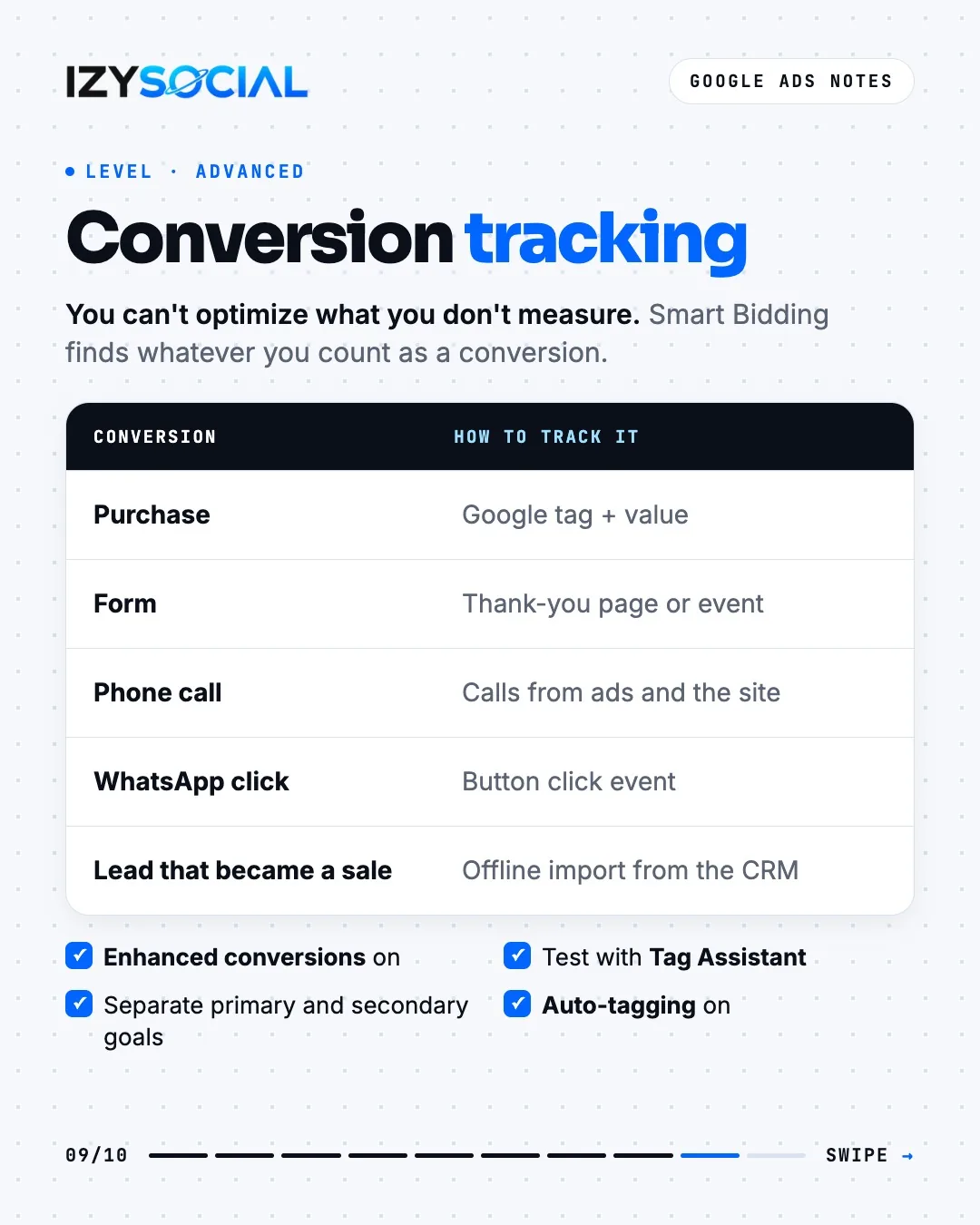
- Purchase: Google tag plus sale value
- Form: thank-you page or form-submit event
- Phone call: calls from ads and from the site
- WhatsApp click: button click event
- Lead that became a sale: offline conversion import from your CRM
Turn on enhanced conversions and auto-tagging, test the setup with Tag Assistant, and separate the primary goal from secondary ones. Smart Bidding tries to find whatever you count as a conversion.
Metrics and scaling
Example: $5,000 spend, 20,000 impressions, 1,000 clicks, 50 conversions and $25,000 revenue.
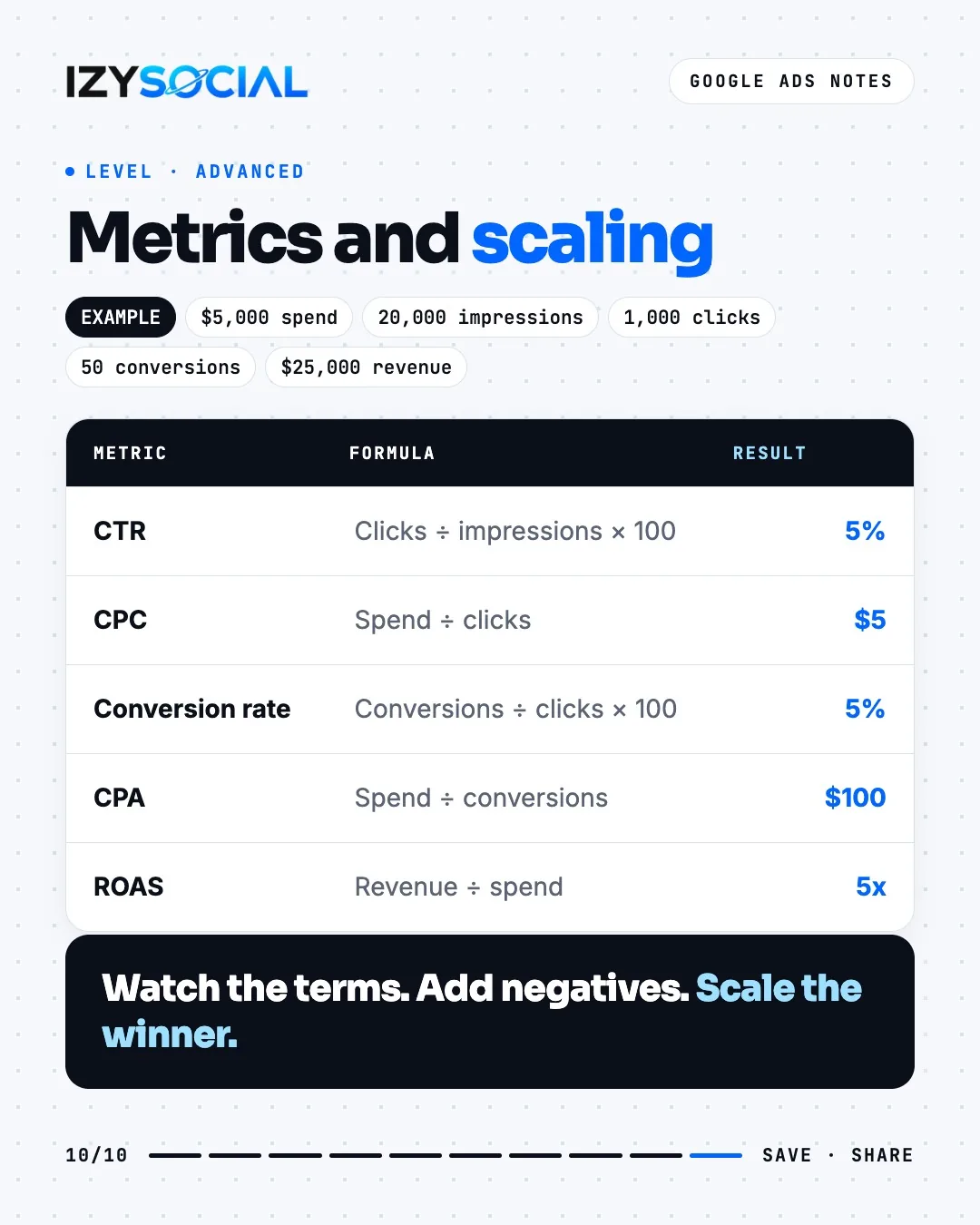
- CTR = clicks ÷ impressions × 100 = 5%
- CPC (cost per click) = spend ÷ clicks = $5
- Conversion rate = conversions ÷ clicks × 100 = 5%
- CPA (cost per acquisition) = spend ÷ conversions = $100
- ROAS = revenue ÷ spend = 5x
Watch search terms regularly, add the ones that don't work as negatives, and shift budget to the campaign that converts best.
Frequently asked questions
Should I choose Google Ads or Meta ads?
If people search Google for what you sell, start with Google Ads. If your product is new or very visual and you need to create demand, Meta fits better. Many businesses use both.
Smart Mode or Expert Mode?
Expert Mode. Smart Mode can only build Smart campaigns; Expert Mode opens every campaign type and setting.
Are Display campaigns going away?
Google is moving standalone Display campaigns into Demand Gen. New display campaigns are built inside Demand Gen, and existing ones are being migrated automatically over time.
What should I do if my Quality Score is low?
Check which of the three components is weak: strengthen the headline and offer for click-through rate, tighten ad groups for relevance, and fix mobile speed and message match for the landing page.