

Ads: Launch Meta and Google Ads by Answering a Few Questions
Updated: October 11, 2026 · 2 min read
The Ads page lets you launch ads without the complexity of ad managers. You answer a few questions and IZY AI builds the ad within Meta's and Google's rules. You can pause an ad or change its budget any time.
Important: preview mode
Until our Meta and Google connections are approved, the Ads page runs in preview mode: ads aren't really published and no money is spent; the results on screen are examples. Once approved, you'll launch real ads with the same steps.
The screen
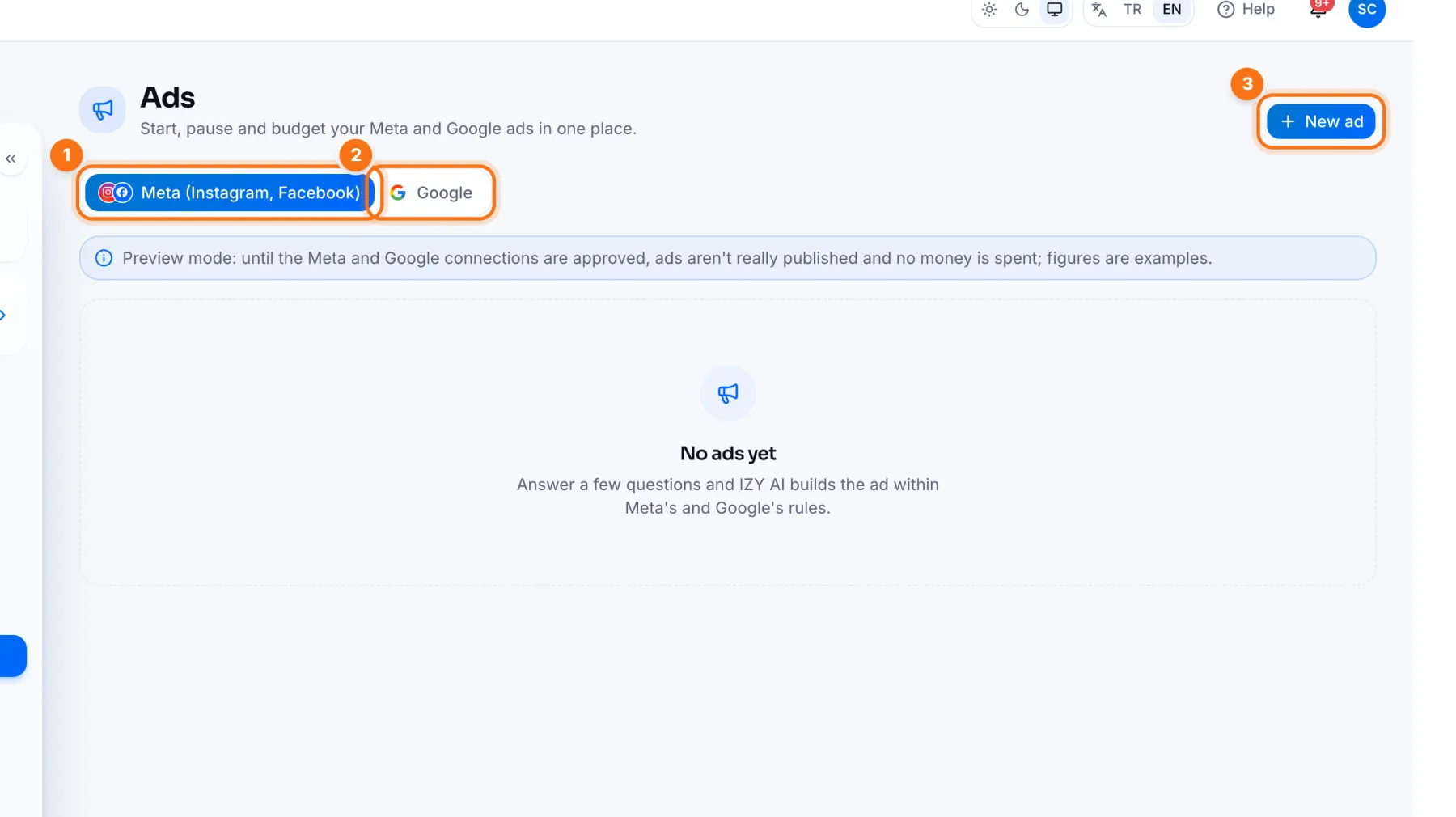
- 1Meta (Instagram, Facebook): your Instagram and Facebook ads.
- 2Google: your Google Search and Maps ads.
- 3New ad: opens the ad wizard.
The ad wizard
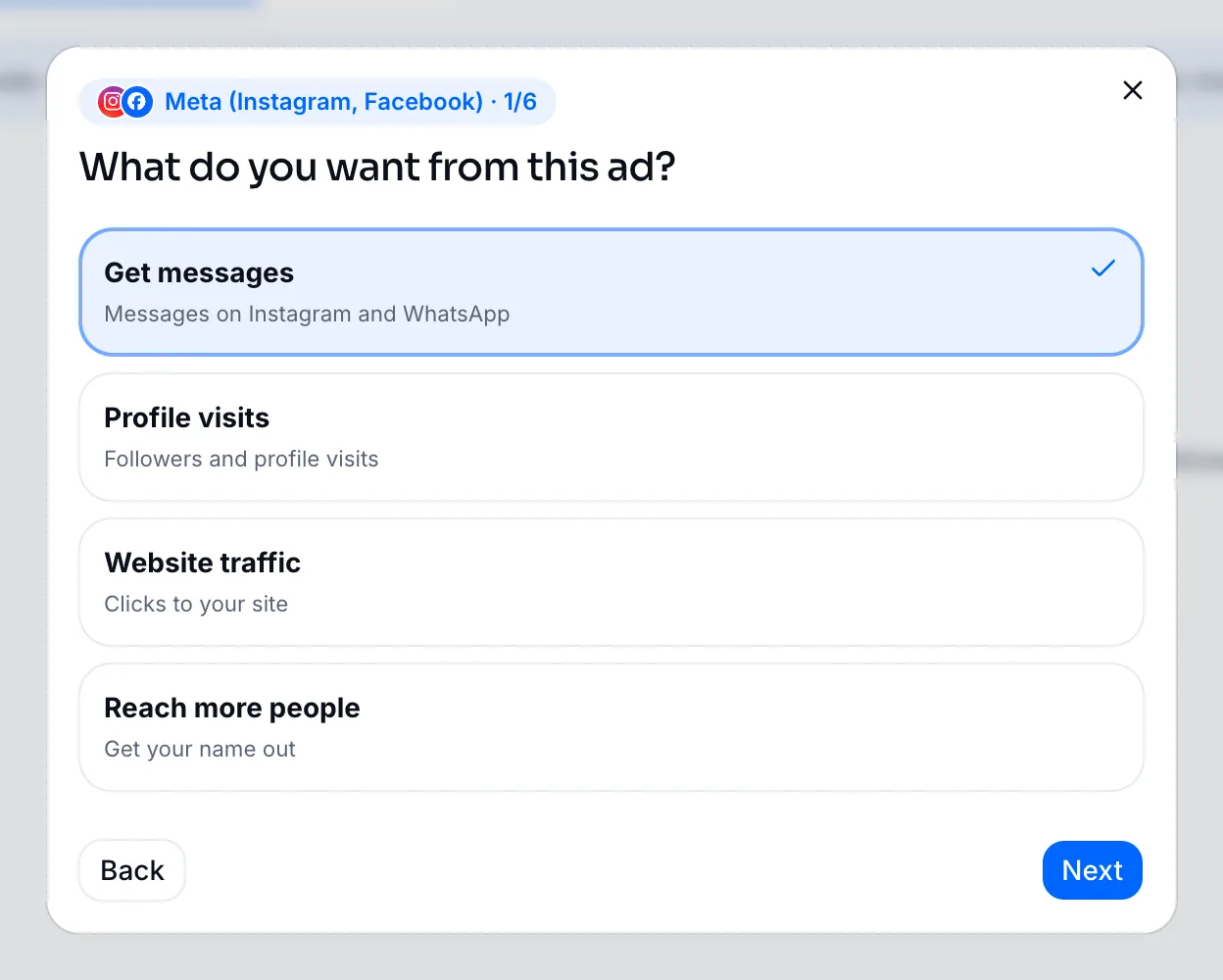
- 1Goal: what you want from the ad: messages, profile visits, website traffic or reaching more people. On Google: searches, directions or phone calls.
- 2Post: pick the post to promote; your recent posts with images are listed.
- 3Location: around your shop (you choose the radius) or the whole country.
- 4Daily budget: set it with the slider. Estimated weekly results and the most you'll spend per month appear right away.
- 5Check the summary and start the ad.
Start with a small daily budget, watch the results for a week, then raise the budget of the ad that works. Use Pause and Change budget on the ad card any time.
Frequently asked questions
Will I be charged if I create an ad now?
No. In preview mode ads aren't published and nothing is charged.
Related
Analytics: What Worked and WhyViews, reach, engagement and followers in IZY Social Analytics; Instagram insights, best times, Reels performance and platform comparison.Creating a Post: Write, Add Media, Pick a Cover and SchedulePreparing a post end to end in IZY Social: choosing accounts, writing with IZY AI, Canva and images, cropping, video covers and scheduling.