

Reports: Save a Period Report and Download It as PDF
Updated: October 11, 2026 · 2 min read
Reports keep a period's numbers for good. At the end of the month you see “how did this month go” on one page, and can save it as a PDF or share it.
Creating a report
- 1On the Analytics page, pick the period (e.g. 30 days).
- 2Press Create report, name it and add a note if you like.
- 3Press Save report. It's added to the Reports page.
Opening and downloading a report
The report opens with an Executive summary listing the period's most important changes in a few sentences, followed by the numbers, charts, top posts and a comparison with the previous period.
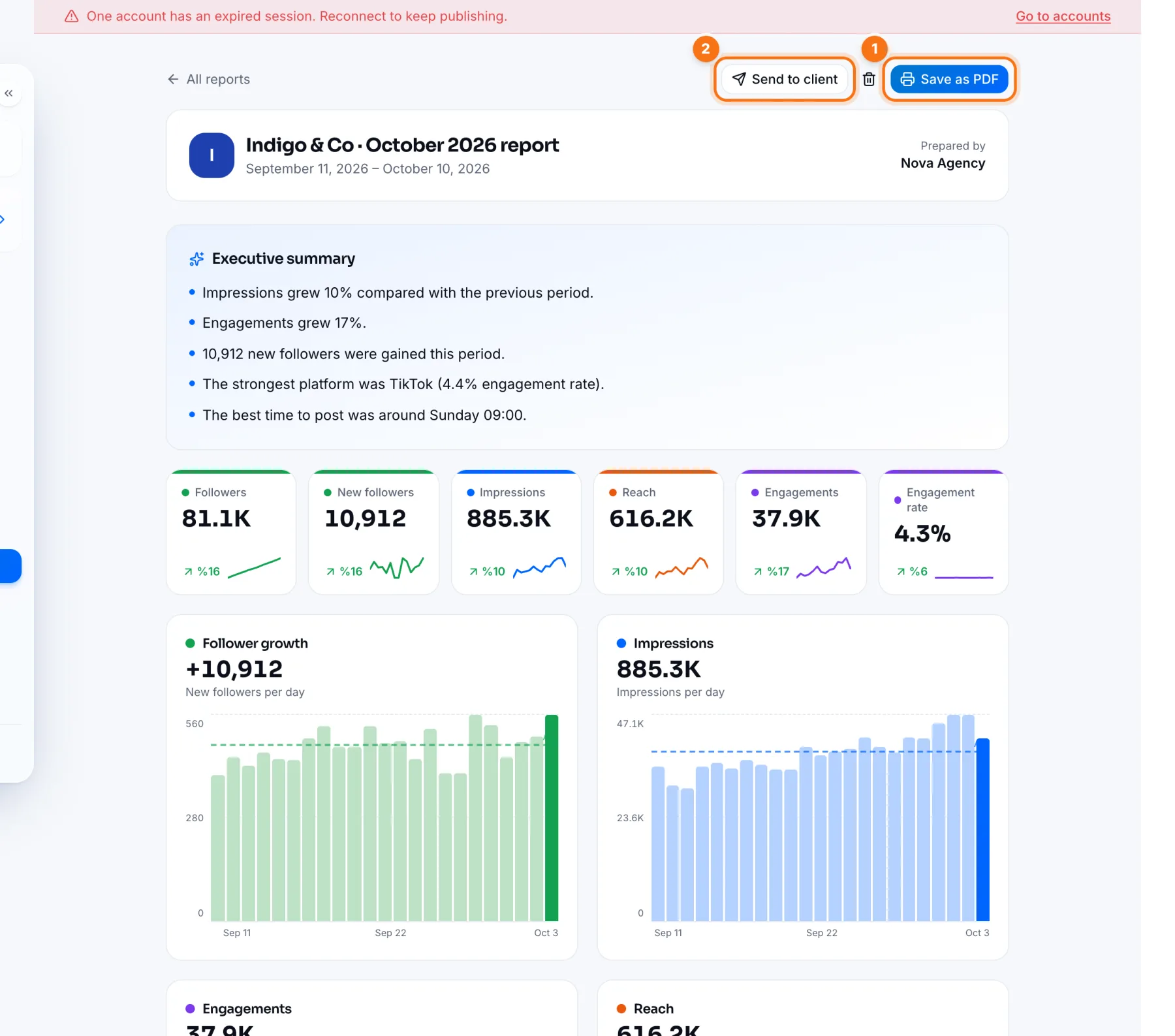
- 1Save as PDF: downloads the report as a printable PDF.
- 2Send to client: shares the report with a link that needs no password. This button only appears for agency accounts; see Agency: analytics and reports.
Frequently asked questions
Does a saved report change later?
No. A report keeps the numbers from when it was created; later data doesn't change it.