

Posting Calendar: Every Client's Posts Together
Updated: October 14, 2026 · 2 min read
The posting calendar shows every client's posts on one calendar. You see what goes out for whom on which day, the empty days and what's still waiting for approval.
Using the calendar
Each card has a small picture, the time, the client's name and platforms. The card's edge colour identifies the client and the dot by the time shows the status: green published, blue scheduled, orange waiting for approval, red failed. Each post is shown in its own client's time zone.
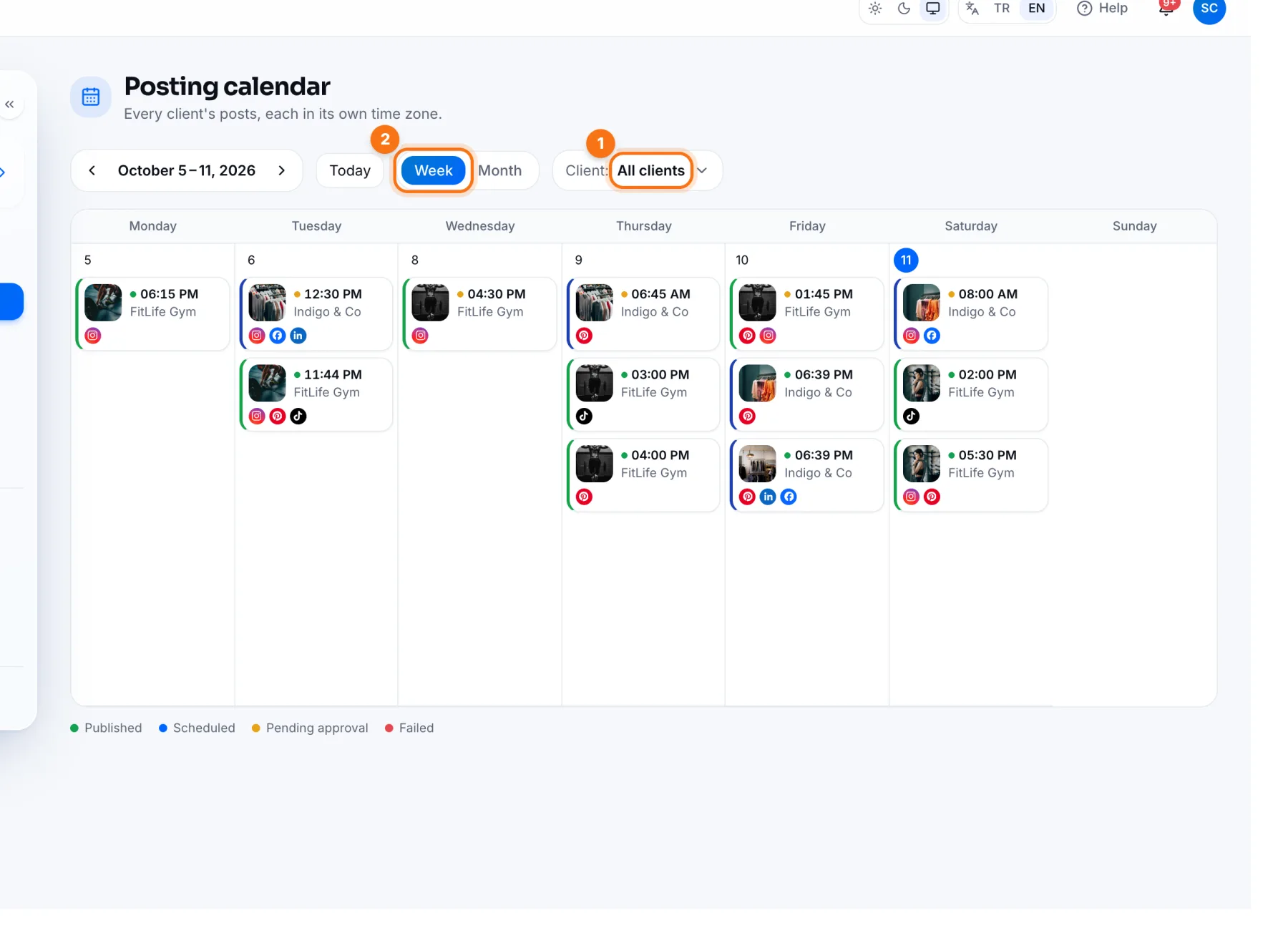
- 1Client: show all clients or just one.
- 2Week / Month: switch the view. Move through dates with Today and the arrows.
Click a post to open it in that client's panel. Moving and editing work like the business Planning Calendar.
Frequently asked questions
Can a teammate see a client's calendar?
Everyone on the agency team sees every client's calendar. Someone assigned to clients sees their own clients first on the Overview.