

Monthly Work Plan and Tasks: Organise Your Team's Work
Updated: October 14, 2026 · 2 min read
The posting calendar shows posts; the Monthly work plan holds the work around them: shoot days, meetings, campaign launches. Tasks track who on the team does that work.
Monthly work plan
Coloured lines are plan items; dashed lines are tasks due that day. Switch between Week and Month at the top.
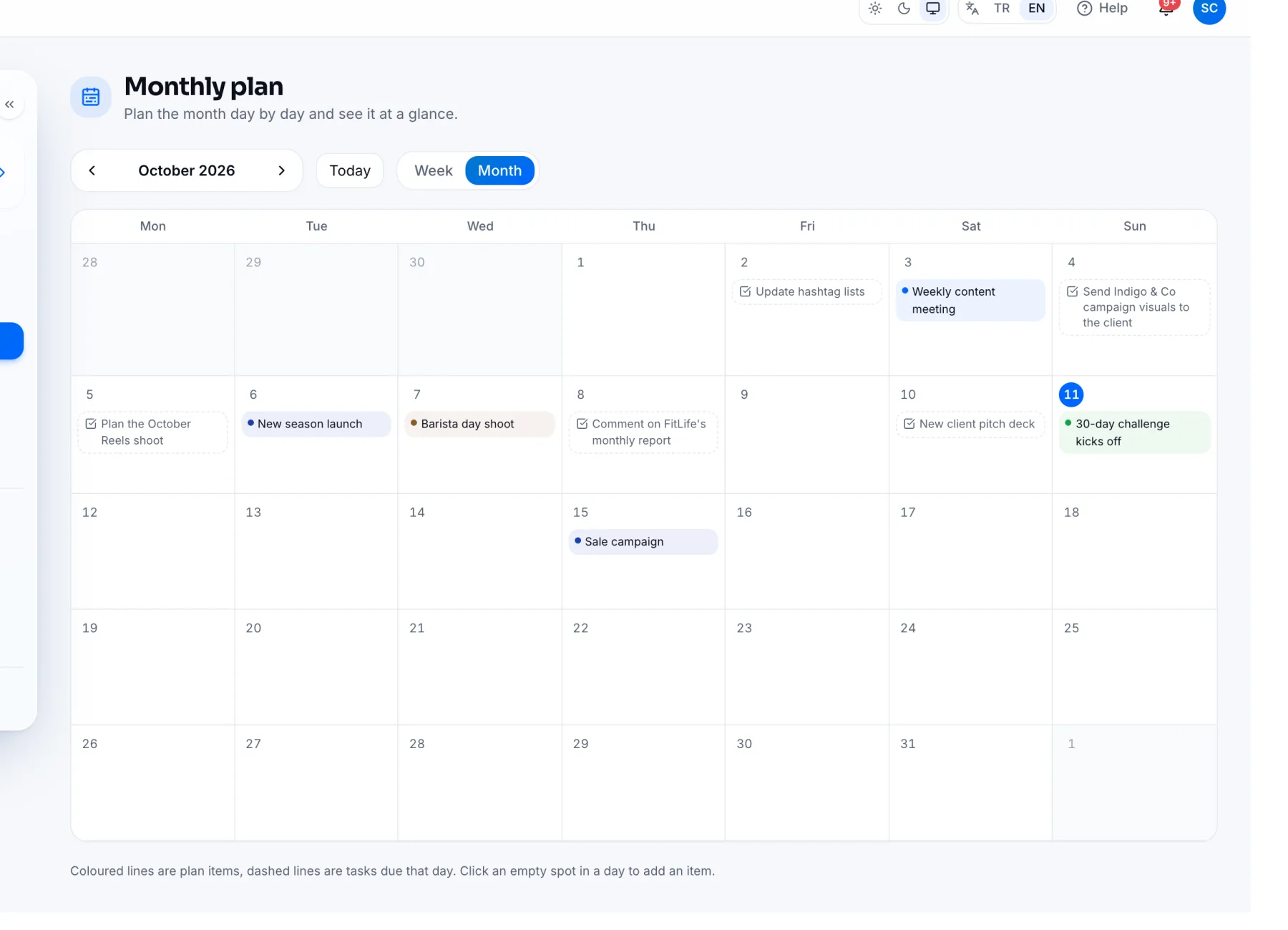
- 1Click a day and use Add plan item to write work for that day, e.g. “Campaign shoot”.
- 2Write the month's goals and reminders in Notes for the month below.
Tasks
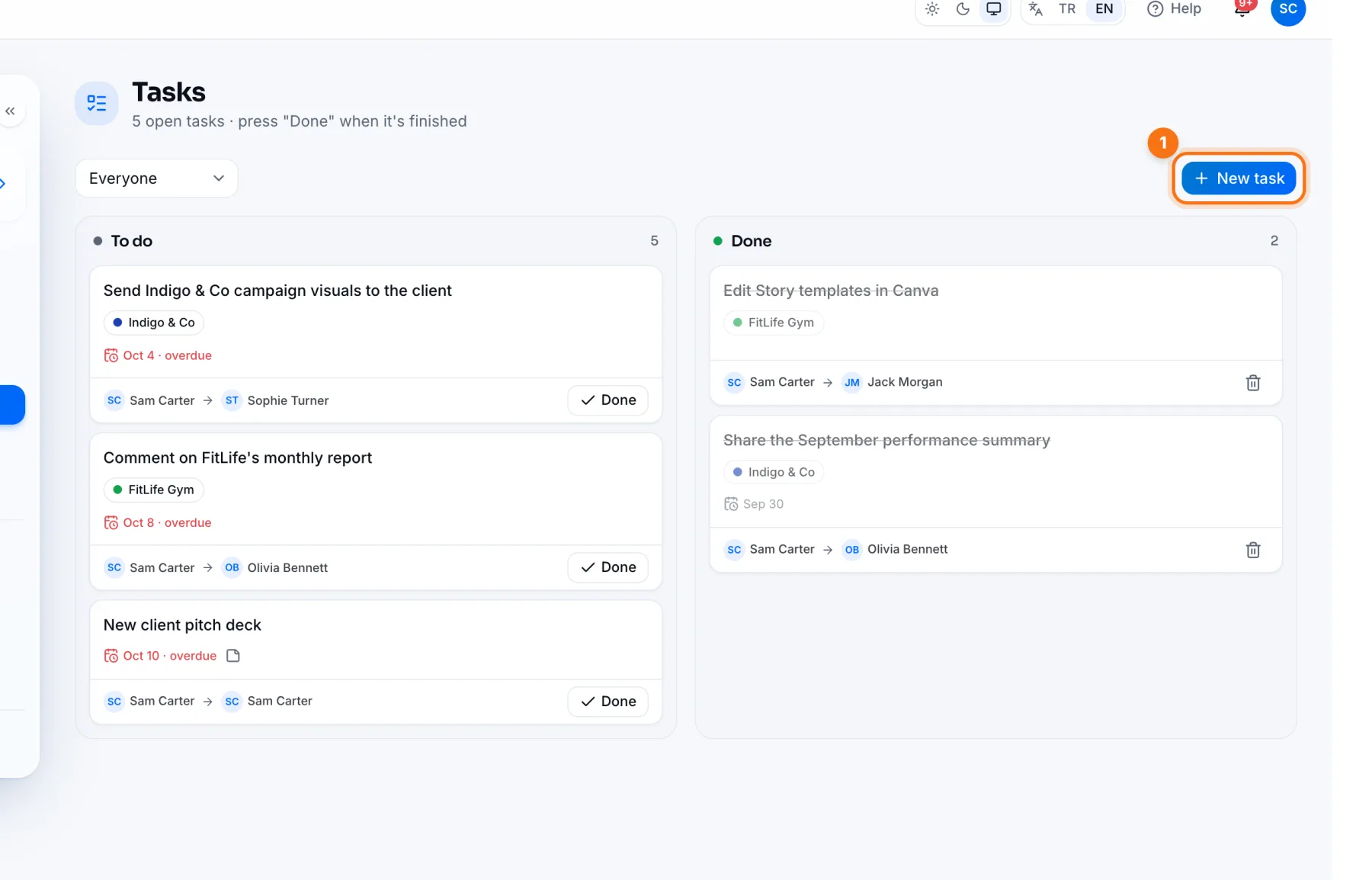
- 1New task: enter the task, who it's assigned to, which client it's for (or agency work), the due date and notes.
- Tasks sit in To do and Done columns. When the work is finished, open the task and press Done.
- Use the filter at the top to see everyone's tasks or only yours.
- The assignee gets a notification; overdue tasks are marked late.
Add task on the overview opens the Tasks page, and tasks assigned to you show in the My tasks card on the overview.
Frequently asked questions
Can clients see the monthly plan?
No. The monthly plan and tasks are for the agency team only.