

Agency Inbox: Every Client's Messages in One List
Updated: October 14, 2026 · 2 min read
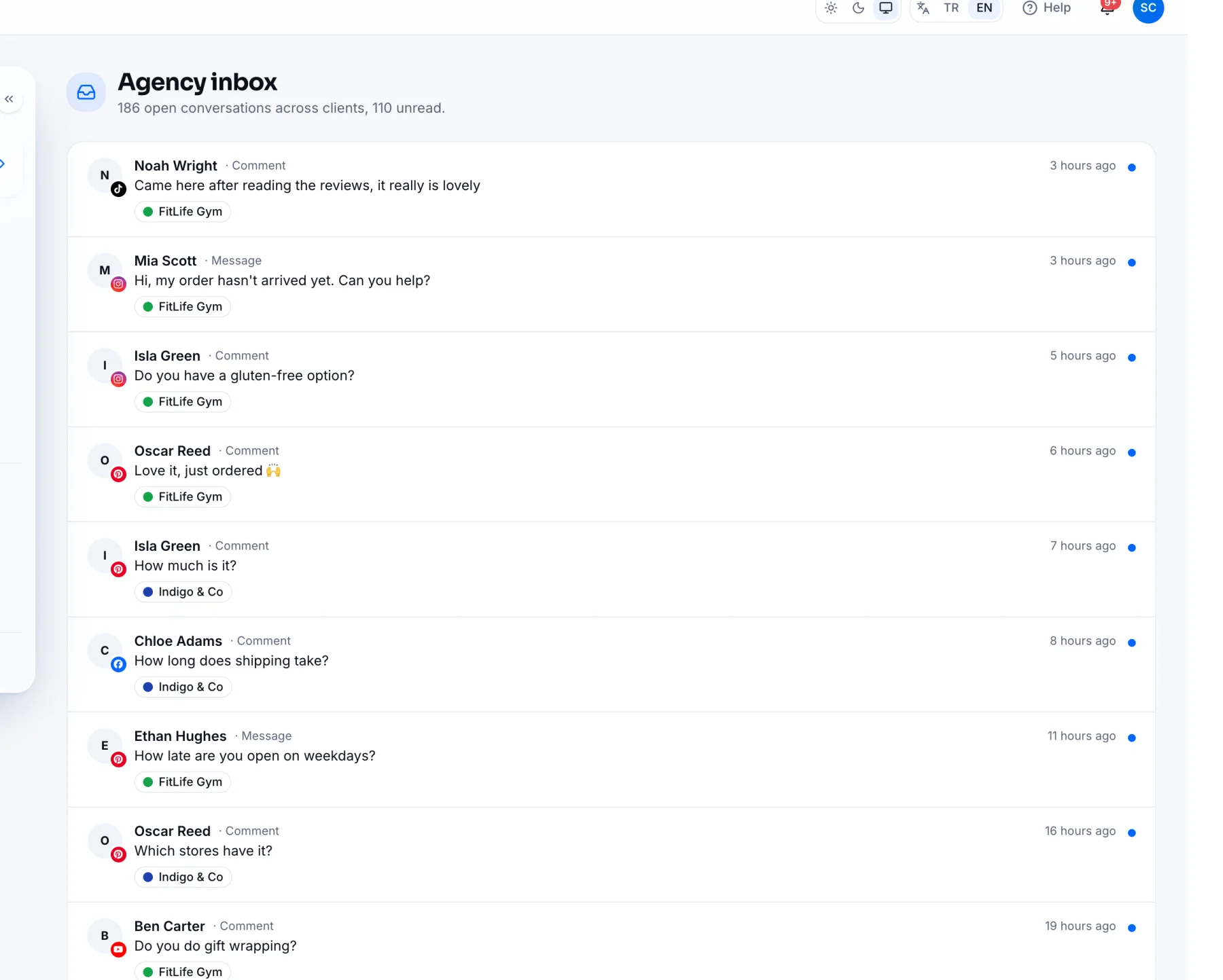
The agency inbox shows every client's open conversations in one list, newest first. Open it from the Unread messages card on the overview.
Reading the list
Each row shows who wrote, the type (Comment or Message), the platform, the client's name and when it arrived. A blue dot means unread; if a teammate is handling it, their name shows.
Click a conversation to open it in that client's inbox. Replying and marking as done work as in the Inbox guide.
Sharing the work
- In the client's inbox, pick a teammate from the Assign menu above the conversation.
- Your teammate sees only their conversations with the Assigned to me filter.
Frequently asked questions
Can a client see their own messages?
No. Clients don't use the panel; the agency team handles the replies. Teammates assigned to the client are notified of new messages.
Related
Inbox: Reply to Every Comment and Message in One PlaceReading, replying to and closing Instagram, Facebook, YouTube, LinkedIn and Pinterest comments and messages in the IZY Social Inbox.Team, Roles and Agency DetailsInviting teammates to your IZY Social agency, assigning them to clients, understanding the roles (Owner, Admin, Editor) and editing agency details.