

Agency Analytics and Client Reports
Updated: October 14, 2026 · 2 min read
Agency analytics puts all clients side by side; client reports are the summary page you send each client at the end of the month.
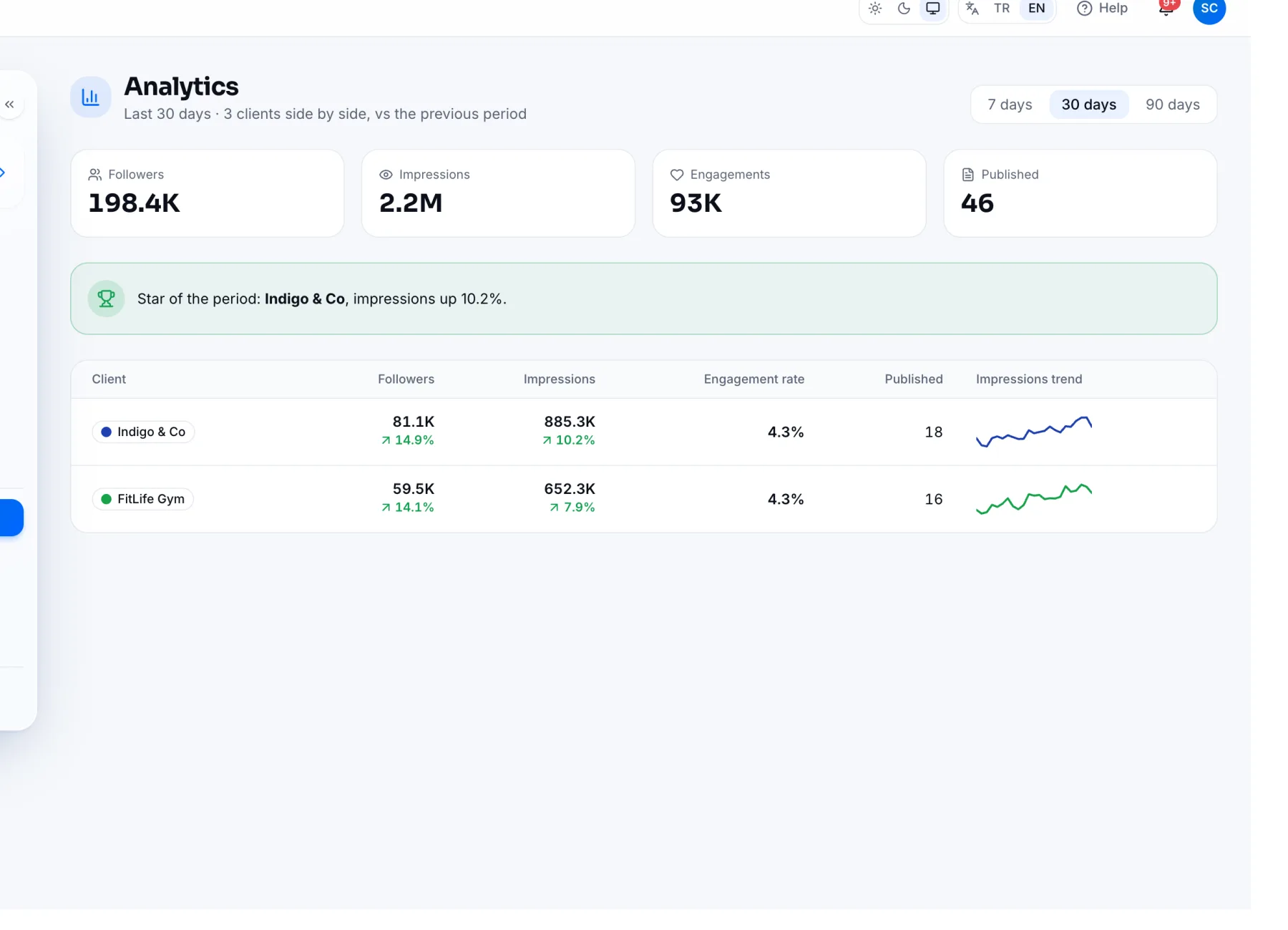
Comparing all clients
Analytics in the left menu compares each client's followers, impressions, engagement rate and published posts for the period you pick (7, 30 or 90 days) against the previous period. The box at the top names the period's star client. For one client's details, open Analytics in their panel.
Sending a client report
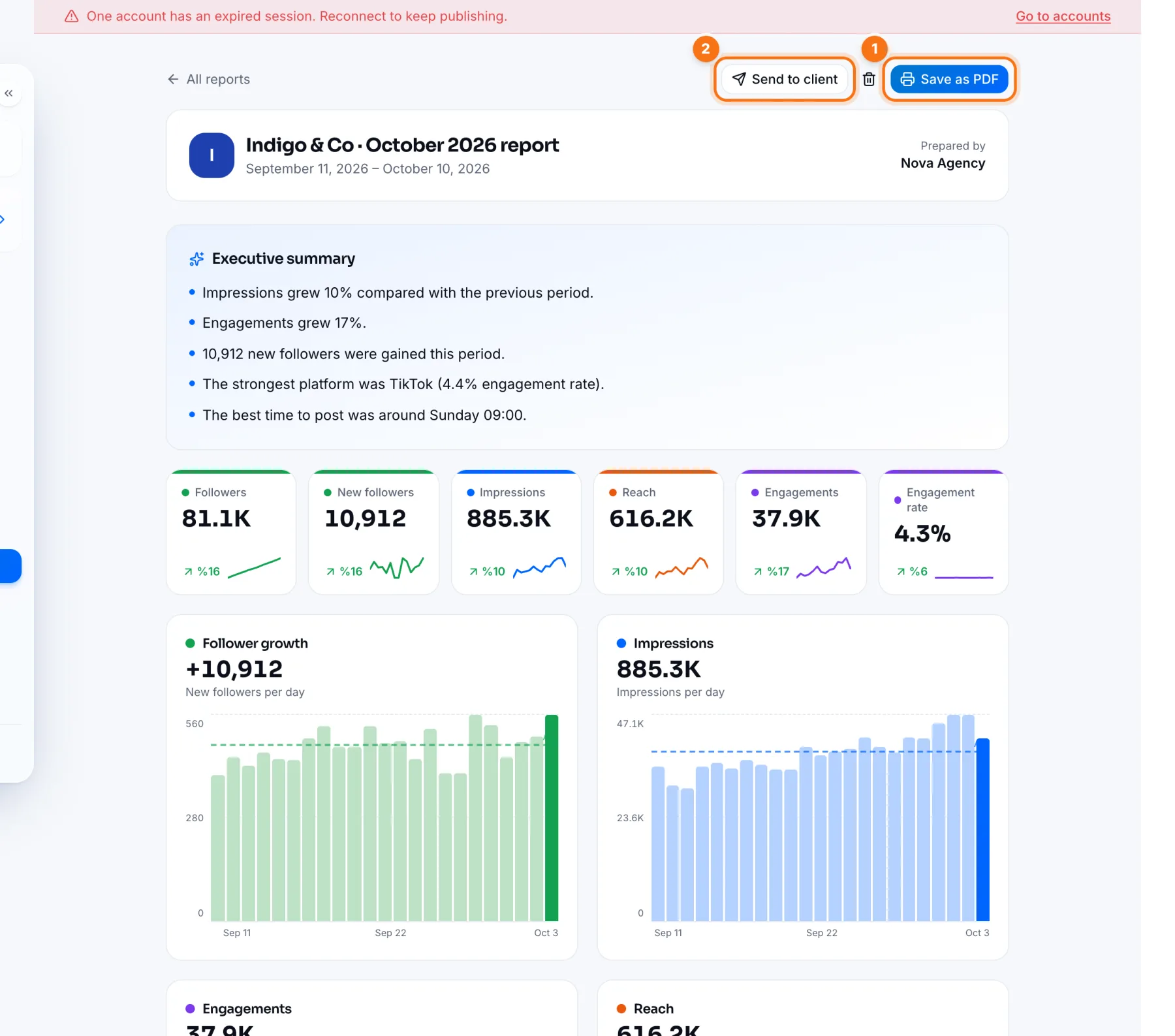
- 1In the client's panel, open Analytics, pick the period and press Create report.
- 2Save the report and open it from the Reports page.
- Save as PDF: download the report as a PDF to email it.
- Send to client: share the report with a password-free link the client opens on their phone. Copy link or Send on WhatsApp; Turn link off any time.
The Executive summary at the top describes the month's key changes in plain sentences. Your agency's name appears as “Prepared by”; edit it under Agency details.
Frequently asked questions
Does the client see anything else when they open a report?
No. The link shows only that report and gives no access to anything else.
Related
Analytics: What Worked and WhyViews, reach, engagement and followers in IZY Social Analytics; Instagram insights, best times, Reels performance and platform comparison.Reports: Save a Period Report and Download It as PDFCreating reports from your analytics in IZY Social, opening saved reports and saving them as PDF.