

Special Days: Don't Miss Holidays and Shopping Days
Updated: October 11, 2026 · 2 min read
National holidays, Black Friday, Mother's Day… The Special days page lists the holidays, celebrations and shopping days of the next 12 months in order, and suggests when to post for each.
Reading the page
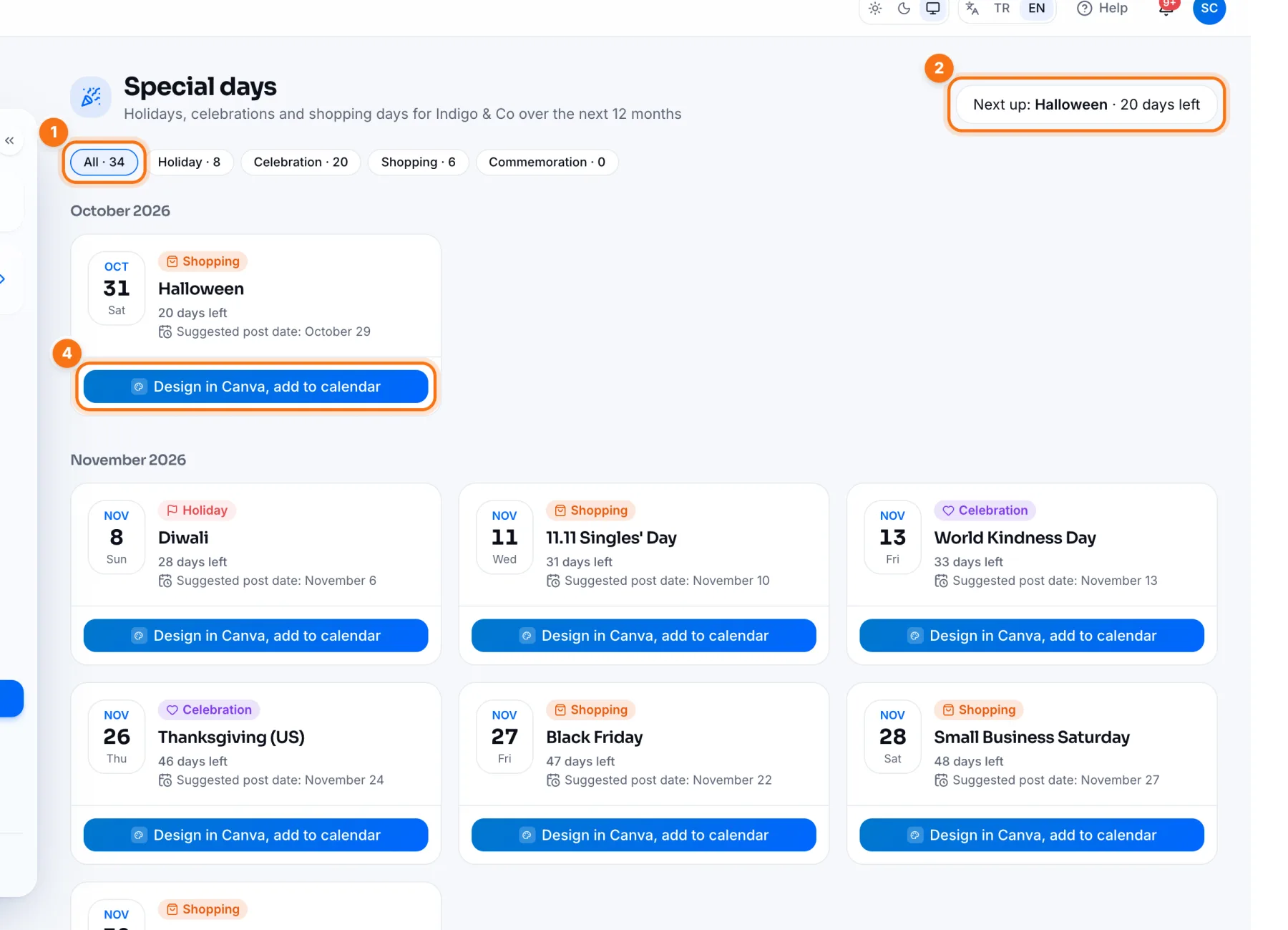
- 1Filters: show All, Holidays, Celebrations, Shopping or Commemoration days.
- 2Next up: the closest special day and how many days are left.
- 3Suggested post date: when to post for that day. For shopping days, posting a few days early works better.
- 4Design in Canva, add to calendar: opens the Create page set to the suggested date with your Canva designs open. Pick a design or make a new one in Canva, then schedule the post for that date.
Dates of religious holidays carry an Estimated date label until the official calendar is announced, and are updated after that.
A simple routine
- 1At the start of the month, check Special days and pick that month's days.
- 2For each one, press Design in Canva, add to calendar or write the post on the Create page.
- 3Schedule it for the Suggested post date.
Frequently asked questions
Should I post on every special day?
No. Pick the ones that fit your brand, and avoid sales language on commemoration days.
Related
Planning Calendar: See and Move All Your Posts on One ScreenUsing the IZY Social Planning Calendar: week and month views, dragging posts to another day and adding posts to empty days.Creating a Post: Write, Add Media, Pick a Cover and SchedulePreparing a post end to end in IZY Social: choosing accounts, writing with IZY AI, Canva and images, cropping, video covers and scheduling.