

Notebook: Never Lose a Content Idea
Updated: October 11, 2026 · 2 min read
A Reel idea that just came to you, something a customer said, a shoot planned for next week… The Notebook is there so you don't lose them. Notes stick to a board like Post-its, and only you can see them.
Adding a note
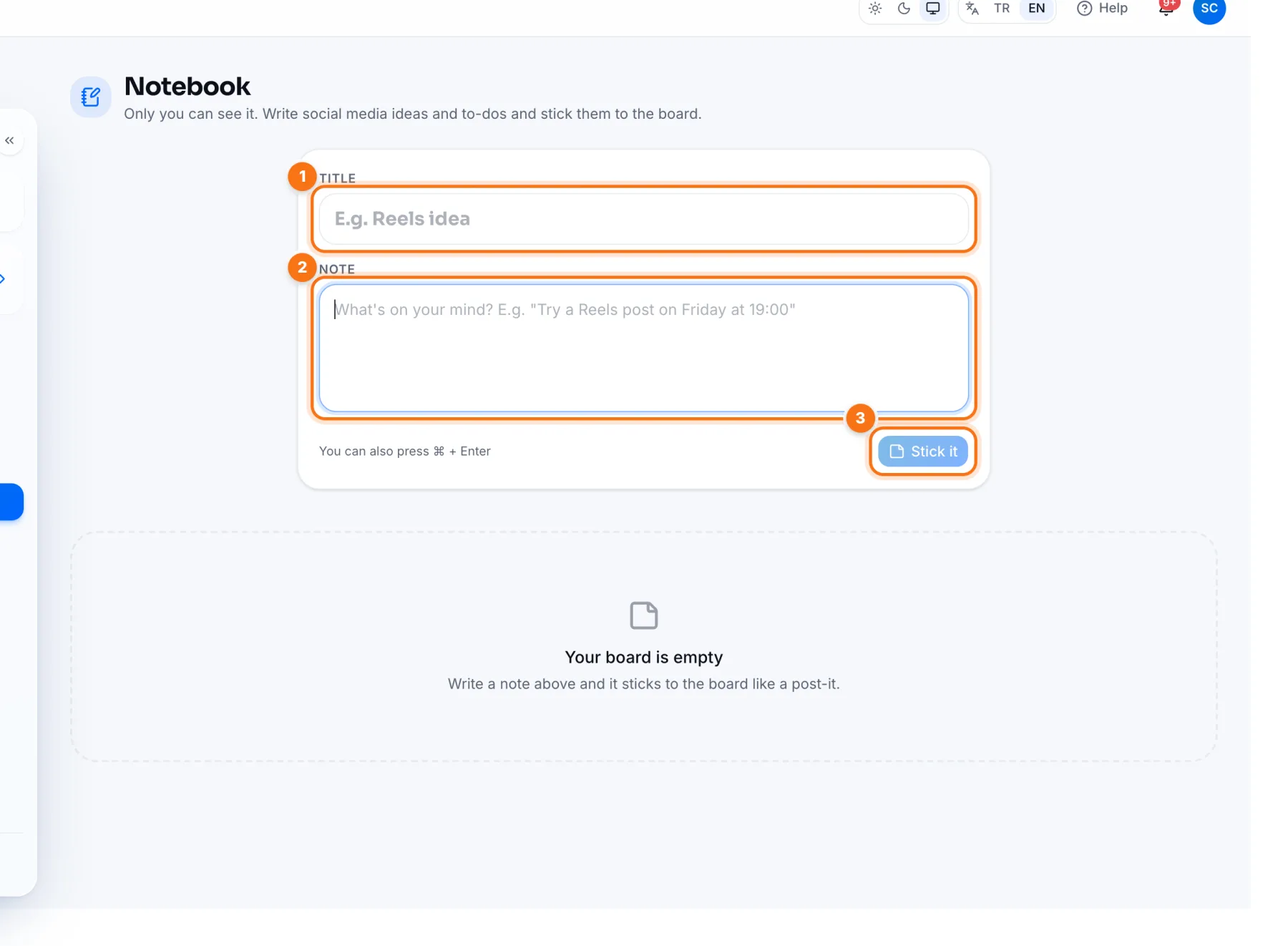
- 1Title: give the note a short name (optional), e.g. “Reels idea”.
- 2Note: write the idea, e.g. “Try the new season outfits as a Reel on Friday at 7 pm.”
- 3Stick it: the note is added to the board as a Post-it. You can also press ⌘ + Enter.
Managing notes
- Edit: click a note and change it; changes save on their own.
- Pin: keeps important notes at the top.
- Search: find notes with the search box once you have many.
- Delete: remove notes you're done with.
When an idea is ready, copy the note into the Topic box of IZY AI on the Create page and let IZY write the rest.
Frequently asked questions
Can my teammates see my notes?
No. The Notebook is personal; only you can see your notes.